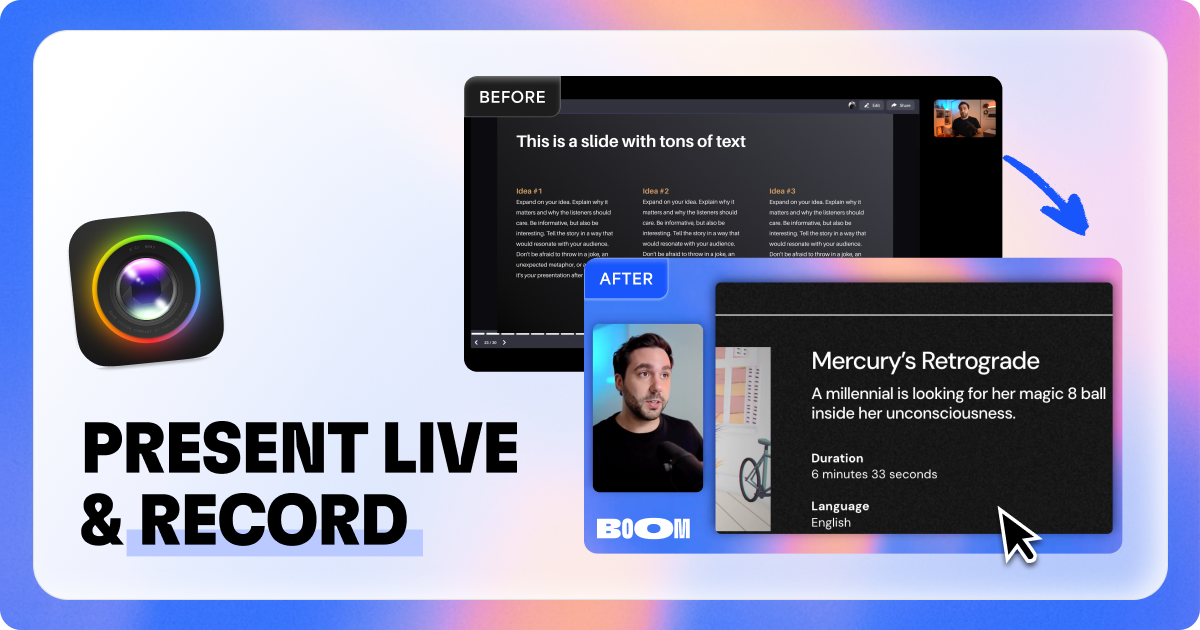
Boom is a video app for serious presenters that enables live presentations and screen recordings with professional layouts. It works with Zoom, Meet, Teams and other video apps without requiring editing or post-production.
Boom for Mac is a professional video application designed specifically for coaches, creators, consultants, founders, and modern professionals who need to deliver polished live presentations and screen recordings. The primary purpose of Boom is to enable users to present and record video content that looks professionally produced without the complexity of traditional video editing software or broadcasting tools. It serves as a powerful alternative to applications like OBS, focusing on simplicity and immediate results by integrating directly with existing video conferencing platforms and screen recording workflows. The app empowers serious presenters to captivate their audiences through dynamic visual layouts, cinematic zoom capabilities, and branded overlays that work seamlessly during live sessions or recordings.
Traditional screen sharing and video presentation methods often result in static, unengaging content where presenters struggle with technical issues like 'can you see my screen?' moments and tiny, poorly framed webcam feeds. Professionals face the challenge of appearing polished and authoritative during virtual meetings, demos, and tutorials without investing excessive time in post-production editing. The existing tools either lack professional features or require significant technical expertise, creating a barrier for individuals who need to focus on their message rather than video production logistics. This pain point is particularly acute for those who regularly conduct live training sessions, product demonstrations, or client consultations where visual quality directly impacts credibility and audience engagement.
One major feature group is dynamic live presentation capabilities that transform how users interact with their audience during video calls. Boom allows presenters to switch between camera-only, side-by-side, and full-screen layouts on the fly without requiring traditional screen sharing, which eliminates awkward transitions and maintains a smooth flow. The cinematic zoom feature enables users to zoom in on any part of their screen with a simple click or keyboard shortcut, guiding audience attention to specific details during demonstrations or explanations. Branded overlays can be added to include logos, lower thirds, and custom backgrounds, ensuring every presentation maintains professional branding consistency across different platforms and sessions.
Another significant feature group involves screen recording functionality that captures both screen content and camera feed simultaneously in various dynamic layouts. Users can record demos, tutorials, and walkthroughs with live layout changes built directly into the recording, eliminating the need for post-production editing or timeline manipulation. The recordings automatically incorporate the same professional elements used during live presentations, including branded overlays and cinematic zoom actions, creating polished final videos from the moment recording stops. This feature exports videos in high definition that are ready for immediate sharing, saving users considerable time that would otherwise be spent in video editing applications.
Publisher
A
admin
Launch Date2026-01-10
Platformdesktop
Pricingfreemium
Domain Authority
Ahrefs DR32/100
Traffic Insights
Month2026-01
Estimated Visits10.9K
MoM Visits Growth+312.9%(+8.2K)
Avg Time on Site40s