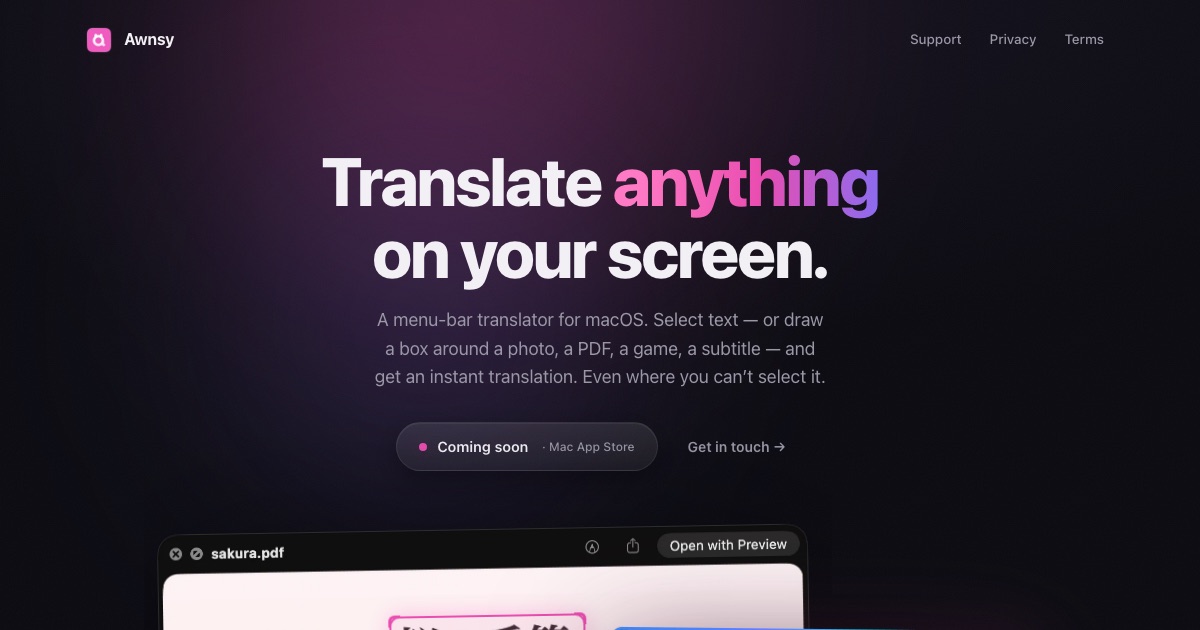
Awnsy is a menu-bar translator for macOS. Its purpose is simple: select text in any app, press ⌘C twice, and the translation appears right over the window you are working in. It is built for Mac users who need to read and understand text in another language without leaving the app they are already using. Beyond selectable text, Awnsy also handles text you cannot select at all — words inside images, scanned PDFs or video — by letting you drag a box around that area on screen, after which Awnsy reads it and translates it. The product describes itself as a small app for the Mac, positioned as doing everything a translator should do on a Mac, plus a few things only Awnsy does.
The problem Awnsy addresses is that translation is usually a context switch. When someone is reading a page, a document, a screenshot or a video in a language they do not speak, the usual workflow means copying text out, opening a browser or another app, pasting it in, and then reading the result somewhere other than where the source text lives. That routine breaks reading flow, and it is impossible when the text is baked into an image or a scanned page, or when an app simply refuses to let you select it. Awnsy's approach is to remove the context switch. Translation is triggered from a keystroke the user is already making — copying — and the result appears over the window rather than in a separate destination. The second problem the product targets is privacy: how to translate personal material without sending it to an account-based service. Awnsy answers that with a model that lives inside the app and runs on the Mac itself.
The core interaction is deliberately minimal: one keystroke is the whole interface. To translate something, you select the text in any app and double-press ⌘C, or you set up your own custom hotkey. The translation streams in live, so the result appears progressively rather than after a long wait, and both the language and the model can be switched right in the translation window — no trip to a preferences pane to change what you are reading in or how it is being translated. Because the trigger is the copy gesture itself, there is no new shortcut to memorise; the same action a Mac user already performs to copy is the action that translates. Awnsy frames this as one keystroke, any language, and the interface stays out of the way: a small window over the current context rather than a separate workspace you have to manage.
A large share of the text a person encounters on a Mac is not selectable. It sits inside an image, inside a scanned PDF, inside a video frame, or inside an application that blocks text selection entirely. For these situations Awnsy uses on-device text recognition to pull the words out of the screen itself. Instead of selecting text, the user drags a box around the region of interest, and Awnsy reads what is inside that box and translates it. Because the recognition happens on the device, this trick works on the same private, offline footing as the rest of the app — there is no upload step described before the text becomes readable. This capability turns screenshots, scans and paused video frames into translatable material without requiring any additional tool, which is precisely the material that ordinary copy-and-paste translators cannot touch.
Privacy by default, with a choice of models, is the third pillar of the product. The built-in translation model runs entirely on the Mac. It works offline, it needs no account and no API key, and the product states that there is no telemetry. Whatever you translate stays on your machine. At the same time, Awnsy does not lock you into the local model. If you prefer cloud quality, you can bring your own OpenAI or Anthropic key, which the product describes as the route to top-quality translation. That key is kept in the macOS Keychain rather than being left in ordinary settings. The practical result is a translator with two modes: a fully local, private mode that works without any connection, and a bring-your-own-key cloud mode for users who want a different quality profile.
Awnsy lives in the macOS menu bar. It does not appear in the Dock and does not clutter it, so it behaves like a small system utility rather than a full desktop application you launch and manage. It is written in pure Swift rather than being wrapped in Electron, which is why it is described as native and featherlight. The overall approach is a system-wide, screen-aware utility: it hooks into the copy gesture as a universal trigger so it works across apps rather than inside one specific tool; it reads the screen directly for text that cannot be copied; and it keeps the translation model either on the device or behind the user's own key. Everything plays out in a small window over the current context, keeping the translation where the source text is instead of asking the user to move elsewhere.
For users, the practical outcome is that translation stops being a separate task. It happens in place, from the gesture you already use to copy, and it returns a result over the current window, so reading flow is preserved and attention is not scattered across apps. Because the built-in model runs on the Mac and the app works offline, translation remains available when a connection is unreliable, unavailable, or deliberately restricted. Because there is no account, no API key and no telemetry, nothing has to be handed over simply to use the app, and what you translate stays on your machine. And because it reads the screen through on-device text recognition, material that used to be out of reach — image text, scanned pages, video text, and text in apps that block selection — becomes readable. Users who want maximum quality can opt into their own OpenAI or Anthropic key without changing any other part of the workflow.
Concrete scenarios follow directly from the capabilities described. A reader working through foreign-language documentation, articles or messages in a browser selects the passage and double-presses ⌘C to get the translation over the page. Someone handling a scanned PDF or an image-based document, where there is no selectable text at all, drags a box around the paragraph and lets Awnsy read and translate it. A viewer watching a video with burned-in subtitles, captions or on-screen slides boxes the area of the frame. Anyone using an app that will not let you select text — the case Awnsy explicitly calls out — uses the same box gesture instead of fighting the app. And a user working with private or sensitive material, or working offline on a flight or on a locked-down network, keeps the whole translation on the Mac with the built-in model.
Target users, platform, pricing and technology are all stated plainly. Awnsy is a macOS product, distributed free on the Mac App Store, with Awnsy Pro unlocking unlimited screen translation. The platform is Mac desktop, and it is described as a menu-bar translator for macOS. It is built in pure Swift rather than Electron. It is aimed at Mac users who read across languages and want a lightweight, private utility rather than a full translation suite; the Product Hunt topics list Mac, Productivity and Artificial Intelligence. Optional cloud quality comes from the user's own OpenAI or Anthropic key stored in the Keychain, while the local model requires no key at all.
The takeaway is that Awnsy makes translation a reflex rather than a detour. One keystroke — a double ⌘C, or your own hotkey — brings the translation over whatever window you are reading, and a drag of a box reaches the text that cannot be selected at all. The built-in model runs on your Mac, offline, with no account, no key and no telemetry, while your own OpenAI or Anthropic key remains an option for cloud quality. It is free on the Mac App Store, with Pro unlocking unlimited screen translation, and it stays in the menu bar as a small, native Swift app that never clutters the Dock.
Publisher
A
admin
Launch Date2026-09-21
Platformdesktop
Pricingfreemium
Tech Stack
#Swift#macOS