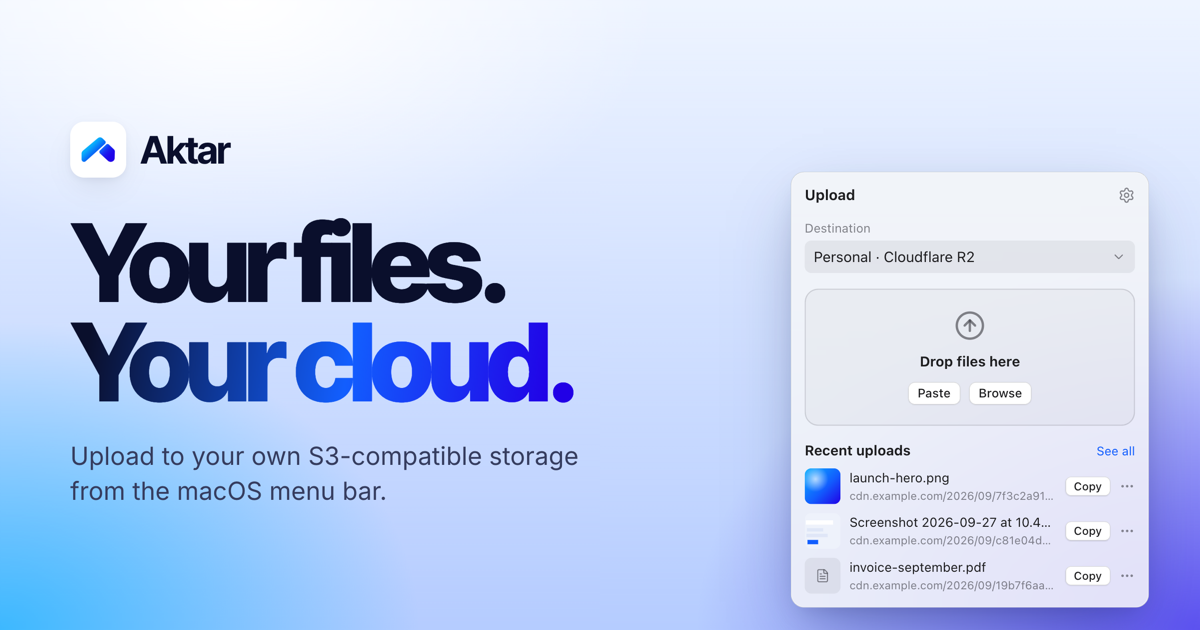
Aktar is a free, open-source app for instantly sharing files through your own S3-compatible storage. It lives in the macOS menu bar as a small native app, and is also available for Windows 10 and 11, iPhone and iPad, and as a Raycast extension. When you drop a file — a screenshot, a log, a build or a video — Aktar uploads it straight to a bucket you control and copies the shareable link to your clipboard. There is no account to create and no middleman: files travel directly from your machine to the endpoint you configure, and the resulting link is ready to paste anywhere.
Most file sharing today means handing your file to someone else's service. You create an account, accept an upload limit, and end up with a link on a domain you do not own. Meanwhile, anyone who already pays for object storage — Amazon S3, Cloudflare R2, Backblaze B2, DigitalOcean Spaces or MinIO — has capacity and a domain sitting largely idle. Turning a local file into a shareable link still usually means opening a provider console in a browser or writing a script. Aktar closes that gap by reducing file sharing to a single gesture: connect a bucket once, and every future share is a drop and a paste. Because Aktar runs no servers of its own, there is nothing to sign up for, no upload limit on Aktar's side, and no intermediary that can see your files.
Aktar works with the storage you already have. Amazon S3, Cloudflare R2, Backblaze B2, DigitalOcean Spaces and MinIO all have built-in presets, and anything else that speaks the Amazon S3 API works through the "Other S3-Compatible" option. Connecting a bucket takes under a minute: pick a provider, paste your access keys and bucket name, and the presets fill in the right endpoint and region for you. The destination form includes fields for Account ID, region, Access Key ID, Secret Access Key, bucket name, a Public Base URL and an object path. The Public Base URL is the address your files are served from — such as a custom domain or a CDN in front of your bucket — and Aktar joins it with the object path to build the link it copies. You can also keep multiple destinations, for example one bucket for screenshots and another for client work, and switch between them right from the popover; the app shows destinations such as Personal on Cloudflare R2, Client Work on Amazon S3 and Homelab on MinIO.
The upload workflow is designed to disappear into your habits. You can drag files onto the menu bar popover, pick them from Finder, or press the global shortcut Control-Shift-Command-U in any app to upload whatever is currently on your clipboard — a file you copied in Finder or an image such as a screenshot. That shortcut works even when the panel is closed, and you can record your own combination in Settings. Aktar can upload several files at once and lets you retry failed uploads with a click. After an upload finishes, whatever you choose in Settings → Output is copied to your clipboard: the plain URL, Markdown, HTML, or your own custom template with variables such as {url}, {filename}, {name} and {ext}. Images get embed markup, while everything else gets a regular link. Object paths are templates too: the default is {year}/{month}/{uuid}.{ext}, and you can mix in other variables including {day}, {date}, {time}, {filename}, {random} and more, so your bucket keeps your naming and structure.
Temporary sharing is built in. New in v0.6.0 are temporary links at upload: choose Delete after 1, 7, 14 or 30 days and the bucket's own lifecycle rules delete the file on schedule, even when Aktar is not running, so temporary shares do not pile up. Aktar sets those rules up in one click and leaves your other rules alone — for example it creates aktar-expire-1d on the tmp/1d/ prefix and aktar-expire-7d on tmp/7d/, while an unrelated archive-old-logs rule on logs/ stays untouched. When you are browsing files, you can also copy temporary links valid for 7 days, 1 day or 1 hour, which work for private buckets too. And if you shared the wrong file, you can delete it from the source: Aktar removes it from your bucket right from the history, not just from the list.
The Library lets you browse your buckets rather than only the files Aktar uploaded. You can see every folder and file in your buckets, search the whole bucket, preview files, and upload, rename, move or delete without leaving the app. Upload history is searchable and shows thumbnails and previews for images, PDFs, text and Markdown, with filtering by destination so you can select several entries and copy them in bulk.
Privacy is the point rather than an add-on. Aktar has no servers: there is nothing to sign up for and nothing to phone home to. Your access keys are stored in the macOS Keychain and are only used to sign requests to your own endpoint. Files travel straight from your Mac to your bucket — no proxy, no middleman. There is no telemetry, no analytics, no tracking and no account system in the app. Aktar runs in the App Sandbox with the Hardened Runtime, and every release is notarized by Apple. It is MIT licensed and open source, so you can read the code, build it yourself or send a pull request. The website itself uses Google Analytics to see how people find and use it, while the Aktar app collects nothing.
The outcome for users is simpler sharing on your own terms. Your files stay in your own storage, and you pay your storage provider rather than a file-sharing service. There is no subscription, no account and no upload limit on Aktar's side. A screenshot becomes a link with two shortcuts, and a file drop becomes a pasted URL. The app also stays out of your way with optional notifications when an upload completes, an option to close the popover after a successful upload, and launch at login, plus automatic update checks against GitHub once a day and background installs that apply when Aktar quits.
In practice the app fits a wide set of small workflows. A support engineer presses Control-Shift-Command-4 to capture an area to the clipboard, then Control-Shift-Command-U, and pastes the resulting link into a ticket. A developer shares a deploy.log, release notes or a build file without opening a console. Someone sending a proposal draft or invoice can drop it into a client-work bucket, while screenshots go to a personal bucket. Anyone who needs to share something only for a while picks a 1, 7, 14 or 30 day expiry instead of cleaning up later. And when a file needs managing rather than just uploading — browsing folders, previewing an image, renaming or moving an object, deleting a remote file — the Library handles that without leaving the app. Through the Raycast extension, the same actions are available from Raycast: upload the clipboard or files selected in Finder, search your history and browse your buckets, while your keys stay in Aktar.
Aktar is built with SwiftUI, so it feels right at home on macOS, where it requires macOS 14 Sonoma or later; it is also available for Windows 10 and 11 and for iPhone and iPad, with an Android release noted as coming soon. It can be installed as a .dmg or via Homebrew. The app is free and open source under the MIT license, with no subscription, no account and no upload limit on Aktar's side — you simply pay your own storage provider for the bucket you use. That makes it relevant to developers, designers, support teams, freelancers and homelab users who already own S3-compatible storage and want their files to stay there.
Your next link is one drop away: download Aktar, connect your bucket, and never open an upload form again.
Publisher
A
admin
Launch Date2026-10-01
Platformdesktop
Pricingfree
Tech Stack
#SwiftUI