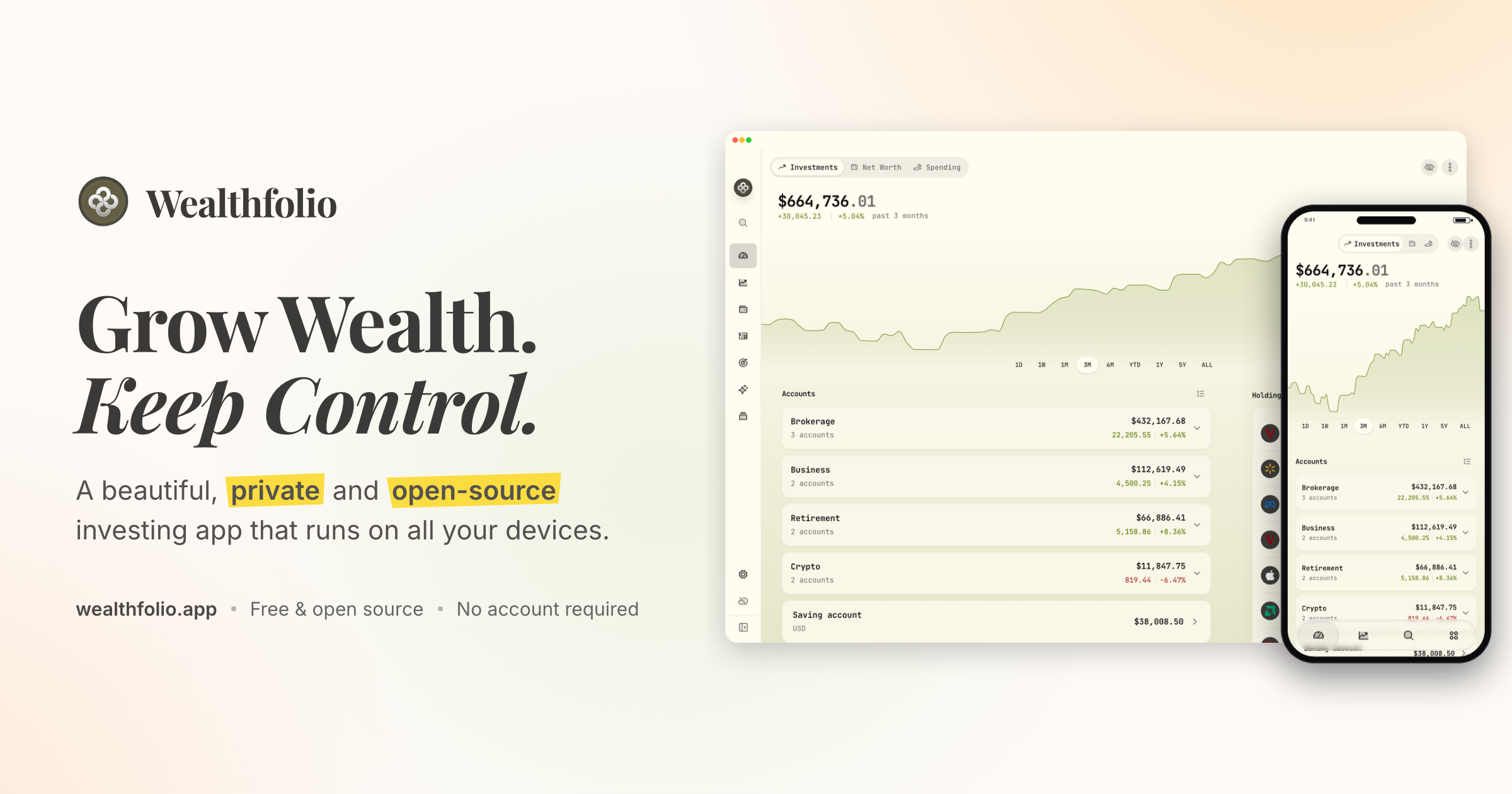
Wealthfolio is a beautiful, private and open-source investing and personal finance app that runs locally on all your devices. It is designed to help you grow wealth while keeping control of your financial data. The app brings together investments, net worth, spending and planning in one place, and it works without an account or subscription. It is built for individuals who want a clear view of their finances, including holdings, performance, allocation and income across their accounts, without handing their financial history to a cloud platform. Wealthfolio is available as a standalone install for macOS, Windows, Linux, iPhone and iPad, and it can also be self-hosted so you can access it through a web browser on infrastructure you control.
Most personal finance and investing tools ask you to store your financial history in their cloud, which makes you dependent on another platform and its continued availability. Wealthfolio takes a local-first approach instead: it runs locally, works without an account and keeps your financial history under your control. Your financial history stays on your devices rather than becoming dependent on another cloud platform, and the code is open source, available to inspect, contribute to and run on infrastructure you control. Because no account is required, you can start using Wealthfolio without creating an account or committing to a subscription. The project is built in the open and shaped by its users, with an active community, a public GitHub repository, documentation and add-ons that extend the app around the way people manage money. The project has drawn a community around it: its GitHub repository has more than 8,000 stars, it was ranked the number one repository of the day on GitHub Trending, it earned 924 points on a Hacker News Show HN launch, and its Discord community has more than 800 members.
The core tracking tools cover what you own, what you owe and where your money goes. Investments tracking puts all your brokers and banks in one view and lets you import CSV statements from anywhere, so accounts held at different institutions can be reviewed together instead of across separate portals. Net worth tracking follows all your assets and liabilities to show your complete financial picture over time. Spending and budgets track cash flow, auto-categorize transactions and let you build budgets that fit you. Used together, these features connect portfolio performance to real-world cash flow, which makes it easier to see how day-to-day decisions affect the bigger picture, and they give you a single place to review holdings, performance, allocation and income across your accounts.
Deeper investment analysis is handled by portfolio insights, the performance dashboard, income tracking and allocation targets. Portfolio insights help you understand your asset allocation, sector exposure and geographic distribution, so concentration or gaps are visible. The performance dashboard lets you compare accounts and benchmark against the S&P 500 or any ETF, giving results a relevant point of reference. Income tracking follows dividends and interest income across your entire portfolio, showing the cash your investments generate. Allocation targets and rebalance tools let you set target weights, see how far your portfolio has drifted, and get a clear rebalance plan to bring it back toward your chosen allocations, which makes it easier to keep a chosen strategy rather than reacting to whatever the market does.
Planning features look forward rather than backward. The retirement and FIRE planner provides a year-by-year simulation with a Monte Carlo Risk Lab and FIRE mode, so you can explore how different assumptions shape a long-term trajectory. The goals and save-up planner projects savings to a target with a milestone glide path and on-track status, helping you judge whether current contributions are enough. Contribution limits help you stay on top of IRA, 401(k) and TFSA contribution room so allowances are not missed. An AI assistant lets you ask questions about your portfolio and get AI-powered insights. Add-ons such as the Investment Fees Tracker, Goal Progress Tracker and Stock Trading Tracker extend Wealthfolio with focused tools, and custom price feeds bring pricing data for assets and markets not covered by the default providers.
Wealthfolio is built around a local database. Accounts, transactions and history are stored right on your device, which is what makes the local-first model possible. You can install Wealthfolio directly on your devices as a standalone app, with no server or account required, or run it on your own infrastructure and access it through a web browser. The self-hosted option uses Docker deployment and is suitable for an always-available personal instance, with your infrastructure under your control. If manual upkeep no longer makes sense, Wealthfolio Connect adds an optional layer on top of a standalone or self-hosted setup. Connect syncs your brokerages and keeps your Wealthfolio database in sync across devices, connecting through aggregators such as SnapTrade to reach brokerages, banks and crypto accounts. Connect is not a third deployment option; it adds automation and synchronization on top of a standalone or self-hosted setup.
The primary benefit is ownership: your financial history stays on your devices instead of becoming dependent on another cloud platform, and the core app works without an account or subscription. Beyond privacy, the local-first model gives you deployment flexibility, because you can run Wealthfolio standalone or self-host it on infrastructure you control. The open-source code can be inspected, contributed to and extended, with add-ons, custom price feeds and supported AI and agent integrations that keep financial context close to your data. Automation is optional: Connect removes repetitive work such as importing brokerage data and keeping devices in sync, so users who want less manual upkeep can add it only when it helps. A quick demo is available for the investment tracking experience, and the app covers investments, net worth, spending and planning in a single interface.
In practice, people use Wealthfolio to consolidate accounts from multiple brokers and banks into one investment view by importing CSV statements; to track net worth by recording assets and liabilities together; to understand spending through cash flow tracking, auto-categorization and budgets; to benchmark portfolio performance against the S&P 500 or a chosen ETF; to project retirement outcomes with a year-by-year simulation, Monte Carlo Risk Lab and FIRE mode; to follow progress toward savings goals with a milestone glide path; to monitor dividend and interest income; to keep an eye on IRA, 401(k) or TFSA contribution room; and to ask an AI assistant questions about their portfolio. With Connect, those workflows can run with automatic brokerage imports, encrypted device sync, household sharing and background updates, so the database stays current across devices without manual entry.
Wealthfolio is aimed at individuals and households who want a private, open-source way to manage investing and personal finances without an account or subscription. The Wealthfolio app is free and fully usable, with manual accounts and transactions, CSV imports, investment tracking and performance, net worth and spending, goals and retirement planning, local data ownership, and standalone and self-hosted options. Wealthfolio Connect is an optional subscription that adds automatic brokerage imports, encrypted device sync, household sharing, background updates and connection management. Deployment choices include standalone apps for macOS, Windows, Linux, iPhone and iPad and self-hosted Docker deployment with browser access. The project lives on GitHub, has an active Discord community, and its documentation covers self-hosting, custom providers, add-ons and MCP server integrations.
In summary, Wealthfolio pairs a free, open-source, local-first finance app with optional automation when you need it. It lets you track investments, net worth, spending and plans while keeping your financial history under your own control, with no forced account and a clear path from manual tracking to automated updates.
Publisher
A
admin
Launch Date2026-09-11
Platformweb
Pricingfreemium
Tech Stack
#Docker