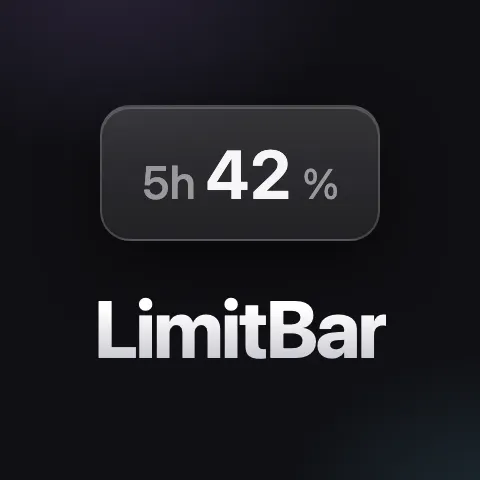
LimitBar is a macOS menu bar application designed for users who heavily utilize Claude Code, particularly with tools like Fable. Its primary function is to provide a clear and constant view of your Claude usage limits directly within your Mac's menu bar. This allows for better planning of your daily workflow, preventing the need to frequently check usage by running commands or clicking on interface elements.
The problem LimitBar addresses is the often-hidden nature of AI usage limits, which can act as a critical work budget. For power users of services like Claude Code, understanding these limits is essential for efficient work. Without a readily accessible indicator, users might find themselves unexpectedly hitting caps, disrupting their workflow and requiring them to pause and check their status. This can lead to frustration and reduced productivity, especially when working on time-sensitive tasks or complex projects.
One of the key features of LimitBar is its real-time display of all usage limits reported by Anthropic for your account. This includes the 5-hour window limits, weekly caps, and per-model limits, such as those for Fable. The application ensures these figures are updated every 60 seconds, providing a consistently current view of your remaining usage.
Another significant capability is its efficient and non-intrusive operation. LimitBar is built using native Swift, resulting in a small footprint of under 1 MB and avoiding the need for heavier frameworks like Electron. This ensures it runs smoothly without consuming excessive system resources.
Furthermore, LimitBar is designed to be resource-friendly in its data retrieval. It reads the same usage numbers that Claude displays to you directly, crucially spending zero tokens in the process. This means monitoring your usage does not incur any additional costs or consume your valuable AI interaction budget.
The application also focuses on a seamless user experience regarding macOS permissions. Through careful implementation of Keychain handling via Apple's security tools, most Macs will encounter zero permission popups during setup, simplifying the installation and initial use.
LimitBar operates by making API calls to the same internal usage endpoint that Claude's own clients utilize. It leverages your existing login credentials for Claude, ensuring a secure and direct connection without needing to integrate with Claude Code's process or use the public developer API. This method allows it to accurately fetch the usage data without being an official Anthropic product.
The primary benefit for users is enhanced planning and reduced anxiety around AI usage limits. By having a constant, visible reminder of their budget, users can plan their sessions more effectively, avoid surprise lockouts, and maintain a smoother workflow. This leads to more predictable productivity and a calmer working experience.
Concrete use cases for LimitBar include developers who are frequently generating code with Claude Code and need to manage their weekly token limits, writers who are using Claude for extensive content creation and must monitor their 5-hour window, and researchers who rely on Claude for data analysis and need to stay within per-model usage caps. It's also useful for anyone using Fable and wanting to track its specific usage.
LimitBar is designed for macOS 13+ users who have a Claude Code account on a Pro or Max plan. It is an unofficial product, not affiliated with Anthropic. The application is available for a one-time purchase of €2.99, with a 30-day refund policy. The source code is included with the download, allowing users to compile and review it locally on their Mac.
In summary, LimitBar offers a simple yet powerful solution for managing Claude usage limits on macOS, providing real-time visibility and enabling more effective planning for AI-powered workflows.
Publisher
A
admin
Launch Date2026-07-05
Platformdesktop
Pricingpaid
Domain Authority
Ahrefs DR92/100