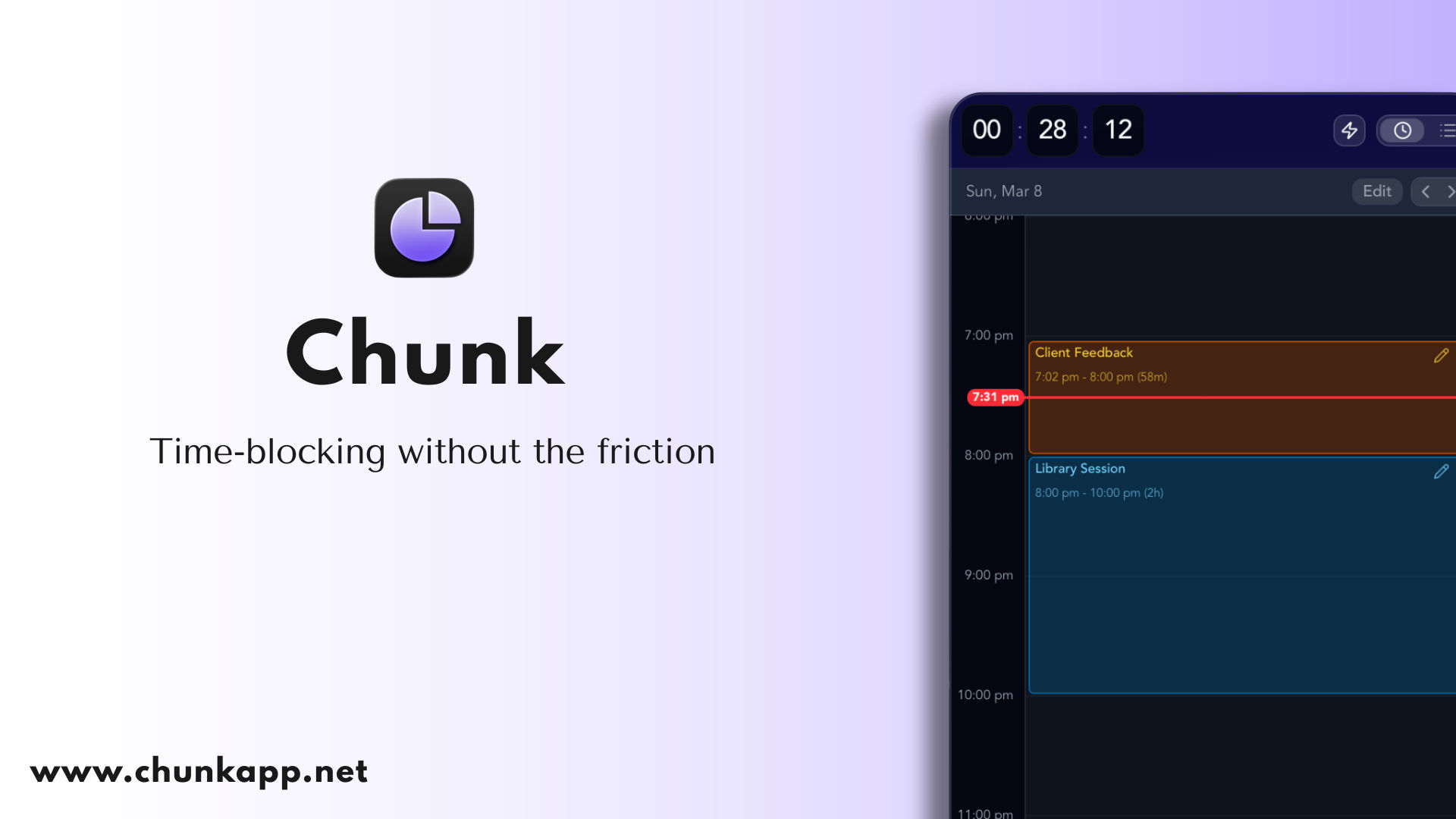
Chunk is a time-blocking app for Mac that puts your tasks and your calendar on one surface you slide between. Tasks live on the left — smart lists, custom lists, Apple Reminders, recurring tasks and template lists — and your full calendar lives on the right as a day, week or month. Its purpose is simple: let you decide where your day goes. You drag a task onto your day and it becomes a block, and a live countdown shows how long is left on it. Chunk is built for people who plan their days deliberately and want their plan and their real calendar to stay in step, rather than living in two separate apps.
Most people keep their to-do list in one tool and their calendar in another. The two rarely agree, and the day tends to be shaped by whatever meetings land in the calendar first, with the actual work squeezed around the edges. Time blocking is the practice of giving tasks real space on the calendar, but doing it by hand across multiple apps is tedious and easy to abandon. Chunk closes that gap by making tasks and calendar one continuous surface: block out the day, drop tasks straight from your list, and see the plan and the calendar update together. Because Chunk syncs both ways with the calendars you already use, adopting time blocking does not mean abandoning your existing setup.
At the heart of Chunk is the timeline. You drag on the timeline to create blocks, drop tasks straight from your list, or apply a recurring template to fill the day in seconds. The layout slides from the task column to the calendar, so the same plan can be worked as a timeline, a week grid, or a month view. Chunk can compress quiet hours and export a PDF or CSV when you need a copy of your plan. A live countdown stays visible in the system tray, and a fullscreen alert fires as each block ends, letting you mark the block complete or reschedule it in a click.
Tasks and their lists live in a single column alongside the calendar. Chunk groups them into Inbox, Today, Upcoming, Overdue and Completed, and supports smart lists, custom lists such as Work, Launch, Personal, Home, Reading, Groceries and Errands, plus Apple Reminders and recurring template lists. Tasks can carry detail: a task like "Write launch post" can hold subtasks, notes, an attached file such as Pricing model.pdf, and a deadline. Schedule the work once and it appears everywhere it should, so a task you place on the timeline is still visible in your list views.
Chunk integrates with the calendars people already use. It offers full two-way sync with Apple Calendar, Google Calendar and Outlook, keeping work and personal calendars in one unified view. Because the sync runs both ways, you can drag to move or resize an external event straight from Chunk and the change is written back to the source calendar. A lock toggle lets you freeze external events as read-only whenever you would rather avoid accidental edits. Apple Reminders lists appear inside Chunk's task column too, so you can drag a Reminders item straight onto the timeline to schedule it.
Chunk also ships a local MCP (Model Context Protocol) server that connects to Claude Desktop in one click from Settings → AI Integrations, letting you plan your day in natural language. Once connected, Claude can read your schedule, create, edit or delete events, manage task lists, work with recurring templates and view external calendars. The MCP server is a local process: Chunk reads and writes directly to your on-device database, and nothing is sent to any server beyond what Claude itself processes during your prompt. You can disconnect at any time.
Chunk is designed to stay one keystroke away. First, open Chunk from the menu bar: click the tray icon or hit ⌘+/ from anywhere, even over fullscreen apps, and Chunk slides in ready to use. Second, block out your day by dragging on the timeline, dropping tasks from your list, or applying a recurring template. Third, stay in flow: the tray countdown and the fullscreen alert at the end of each block keep you moving through the day without breaking focus. The Chunk panel floats above every other window, including fullscreen apps, so you never have to break your flow just to check your schedule.
The result is a plan you can actually follow. Because tasks become blocks, you see exactly where your time is going rather than guessing. Because the countdown and the end-of-block alert sit in the tray, you do not have to open a separate window to know what you should be doing. Because external calendars sync both ways, your plan never drifts out of date. And because templates let you reuse a good day — daily, weekly, monthly or yearly — the planning work you do once keeps paying off.
Concrete scenarios show how this plays out. Someone planning a focused workday drags "Deep work" onto the timeline for 9:00 to 10:30, adds a standup and lunch around it, and lets the countdown track the block. Someone with a repeating routine builds a "Morning routine" or "Deep work day" template with a daily or weekly rule and applies it in seconds. A user who keeps errands and groceries in Apple Reminders drags those items from the Reminders list straight onto the timeline. Someone who wants their week planned out asks Claude in natural language. And anyone with several Macs installs Chunk on each and switches on syncing so the plan follows them.
Chunk is a native macOS app for both Apple Silicon and Intel Macs running macOS 12 Monterey or later. There is no Windows, Linux or Android version, and a separate Chunk for iPhone app is coming soon to the App Store as a one-time purchase with a free 7-day trial that syncs with your Mac through your own iCloud; Apple Family Sharing is supported at no extra cost. Chunk integrates with Apple Calendar, Google Calendar, Outlook and Apple Reminders, and its optional AI planning runs through a local MCP server. You can try Chunk free for 7 days with no credit card required, after which it is a one-time purchase of $29.99 for lifetime access — no subscription. Your data stays on your Mac and, if you switch on cross-device sync, travels through your own iCloud rather than Chunk's servers.
Chunk's value proposition is straightforward: one surface for tasks and calendar, real blocks on your day, a countdown that keeps you in flow, and two-way sync with the calendars you already use — all for a single one-time payment. It is time blocking without bloat, fuss or a subscription.
Publisher
A
admin
Launch Date2026-10-07
Platformdesktop
Pricingpaid
Tech Stack
#macOS#Model Context Protocol#iCloud