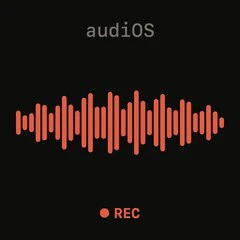
audiOS is a voice-only iOS keyboard that brings the tactile feel of a classic tape deck to modern mobile input. Categorized as a dictation keyboard extension, it is specifically designed for iPhone users who find the glass surface of standard keyboards uncomfortable or imprecise for long typing sessions. The core value of audiOS lies in its physical-like controls—a dedicated REC button, an unsay rocker switch, and a log wheel—that transform speech-to-text from a passive listening exercise into an active, hands-on editing experience. By mimicking the iconic design language of teenage engineering products, audiOS makes touching glass feel good again, combining nostalgia with productivity in a way that no other keyboard has attempted. It appeals to users who appreciate design, tactility, and efficiency in their daily digital interactions.
Traditional on-screen keyboards lack the tactile feedback that helps users know where their fingers are, leading to frequent errors and discomfort during extended typing. Standard voice dictation in iOS, while useful, often produces inaccurate transcripts that require manual correction, and it offers no easy way to undo the last phrase or scroll through a history of recordings. audiOS solves these pain points by providing dedicated hardware-style buttons that let users unsay the last spoken segment with a flick of the rocker, instantly removing it from the transcript. The log wheel allows them to scroll through all previous takes, ensuring that no dictation is ever lost and that every word can be revisited. This eliminates the frustration of retyping or searching through voice memos, making voice input as reliable and controllable as typing.
The first major feature group centers on the REC button and the real-time transcription engine. When a user taps the REC button, the system keyboard ejects smoothly and the deck rises into the slot, signaling that audiOS is ready to capture audio. Speech is transcribed instantly, word by word, on the screen, giving the user immediate visual confirmation of what is being recorded. This live streaming of text builds confidence and reduces the cognitive load of having to remember what was said. The REC button itself is designed to feel like a physical button, with a satisfying click, reinforcing the tape-deck metaphor. This feature is especially useful for hands-free dictation while driving, cooking, or walking, where looking at the screen is difficult. The combination of tactile initiation and instantaneous visual feedback makes the transcription process feel responsive and natural.
The unsay rocker and log wheel form the second major feature group, providing powerful editing and navigation capabilities. If a user misspeaks or changes their mind, they can flick the rocker to unsay the last spoken phrase, instantly removing that segment from the transcript without needing to tap or delete manually. This unsay action works in real time, allowing users to correct mistakes as they happen, which keeps the dictation flow uninterrupted. The log wheel, meanwhile, lets users scroll backward through any previous takes that have been automatically saved in the take log. By rotating the wheel, users can scrub through their recorded history, review earlier dictations, and choose to resend or edit them. This persistent log ensures that nothing is ever dropped, addressing a major pain point of standard dictation apps where audio is often lost if not explicitly saved. The tactile feedback from the rocker and wheel gives users a sense of direct control over their words.
admin
The scroll function and take log are additional capabilities that enhance the overall workflow. The scroll control allows users to navigate through the entire transcript history, providing a way to review long dictation sessions. The take log automatically stores every recording made with audiOS, creating a searchable archive of spoken content. Users can scrub back to any take, whether it was made minutes or days ago, and retrieve the text. This is particularly valuable for users who dictate intermittently throughout the day, such as journalists collecting quotes or professionals taking meeting notes. The take log eliminates the need to manually save each dictation, reducing the risk of data loss. By maintaining a complete history, audiOS ensures that no spoken content ever disappears, giving users a reliable, always-accessible record of their voice inputs. This feature effectively turns the keyboard into a personal voice memo archive integrated with text output, making it easy to reference past ideas without extra effort.
The overall workflow of audiOS follows a six-step process that mirrors operating a tape deck. Step one: the system keyboard ejects and the deck rises into the slot, indicating readiness. Step two: the user taps REC and begins speaking; the transcript streams in real time, word by word. Step three: if a mistake is made, the user flicks the unsay rocker to remove the last phrase. Step four: when the dictation is complete, the user slams the log wheel, which sends the text to the active app and simultaneously saves the take to the take log. Step five: users can scrub back through the log to review any previous take. Step six: no takes are ever dropped, as the log persists across sessions. This linear but flexible workflow turns voice input into a tangible, editable process, making it feel more like operating a physical recorder than using a digital keyboard. Each step is designed to be intuitive for anyone familiar with old tape machines, yet the interface is modern and minimal, requiring no manual reading.
Concrete use cases for audiOS include composing lengthy emails, taking quick voice notes, drafting social media posts, recording hands-free reminders, or capturing quotes during interviews. For example, a journalist at a press conference can discreetly tap REC, speak a quote, correct it instantly with the unsay rocker, and send the accurate text directly to their notes app. The outcome is faster, more accurate text entry without the friction of tapping glass or correcting errors after the fact. Students can dictate lecture notes and later scroll through the take log to find specific points, saving hours of manual transcription. Creative professionals can capture fleeting ideas by speaking them, then use the log to revisit and refine. Early user feedback on social media confirms that 'this thing rocks,' highlighting the satisfaction of using tactile controls for voice input. The promise of no dropped takes adds reliability, ensuring that every spoken word is preserved.
audiOS is designed specifically for iPhone users running iOS 17 or later. Its primary target audience includes creative professionals, writers, journalists, students, busy executives, and anyone who frequently uses voice dictation but craves a more tactile, controlled experience. The app is currently available for download on the App Store. It offers a 14-day free trial, after which the subscription costs $4.99 per month. An early adopter promotion grants the first 100 users free access forever—only 42 slots remain at the time of writing, creating a sense of urgency. In summary, audiOS transforms voice dictation from a passive, error-prone activity into an engaging, tape-deck-inspired process that makes mobile typing feel good again. By combining real-time transcription with physical-like controls, it solves the core problem of glass keyboard discomfort and imprecision, delivering a unique input method that is both functional and delightful.
The target audience for audiOS includes iPhone users who rely on voice dictation for productivity but dislike the lack of tactile feedback in standard keyboards. Specifically, it appeals to journalists, students, writers, executives, and developers who need to capture spoken content accurately and edit it on the fly. The app is also designed for creative professionals and enthusiasts who appreciate the design aesthetic of teenage engineering products. Early adopters who value a unique, tactile input experience and want to avoid the discomfort of glass keyboards will find audiOS particularly appealing. The pricing model—a free trial followed by a low monthly fee—makes it accessible to individuals who want to upgrade their keyboard experience without a large investment.