Category Focus/categories/developer-tools
Developer Tools AI Tools
Discover and compare the best developer tools AI tools and software. Browse 617+ curated tools with reviews and rankings.
Projects tracked
617
Sort mode
RECENT
Page
5
TapNoise is a Mac app that gives your keyboard the sound of a dream keyboard. It ships with 20 keyboard sounds, from a deep thock to tiny paws, and it adds Tappy, a little keycap character that lives on your desktop and reacts to everything you do. TapNoise plays its sounds under every key and in every app on your Mac, and it also tells you when your AI coding agent is done or needs you. It is built for Mac users who want typing to sound and feel better, and for developers who look away from the terminal while an agent works. You can try everything free for three days with no card, and then pay once for one Mac or two. Most keyboards on modern MacBooks are quiet, flat and identical, which is why so much of the appeal of a custom mechanical board comes down to how it sounds and feels under your fingers. TapNoise exists to bring that tactile pleasure back to the Mac you already own, without buying new hardware. It also addresses a very specific modern annoyance: while an AI coding agent runs, you either stare at the terminal waiting for it or you look away and lose time checking back. Rather than being only a novelty sound toy, TapNoise uses the same sensors that make the sounds to do practical work, so the app is fun first and surprisingly handy second. The heart of the app is its library of 20 keyboard sounds. Ten are grouped as Keyboards: Thock, Creamy, Clicky, Silky, Hushed, Bumpy, Pillowy, Clunky, Chunky and Retro. Ten more are grouped as Fun: Typewriter, 8-bit, Bubble, Piano, Rain, Paws, Kalimba, Woody, Marbles and Laser. Thock is described as deep and heavy, like a custom board, while Paws is a tiny-paw sound and Rain brings a soft patter. These are the app's own sounds and they play under every key, in every app. From the menu bar you can turn TapNoise on or off, set the volume and switch sounds with one click, and Tappy, Clean Mode and Guard Mode live there too, so you never have to dig through a settings window just to change what you hear. TapNoise takes keyboard realism further than playing one sample for every press. Most keyboard sound apps play every key the same; TapNoise feels how hard you press through the MacBook's motion sensor, so every key plays as loud as you hit it. Type softly and it whispers, hit hard and it clacks. Every key also gets a take of its own, so fast typing never sounds like a machine gun, and Space, Return and Delete sound like the bigger keys they are. The stereo image follows the key from left to right, which means the sound tracks your hands across the board. On top of raw typing, the app adds sound for the rest of the MacBook: slap it and it says ouch, the lid creaks like an old door and creaks faster the faster you move it, and the charger and USB plugs each get their own little sounds. Tappy is the companion that turns typing into something you can watch. Tappy sits in a corner of your screen, can be dragged anywhere, presses along with every key, and shows your words per minute underneath. Tappy has moods: Happy while typing along with you, Sweating when you are typing fast, On fire when you are really fast, Dizzy when someone slaps the Mac, Snacking when the charger goes in, Ears covered when Caps Lock is on, Sleepy when it is late, Asleep when you have been away, Party when you level up, and Bye when the lid is closing. Every tap is XP, so you type, level up, unlock hats for Tappy, keep a daily streak going, watch your typing speed, and get a card of your week to share. Hats unlock at levels: the party hat at level 2, sunglasses at level 4, headphones at level 6, a beanie at level 8, a chef's hat at level 10 and a crown at level 15. The tools section is where the app earns its keep beyond sound. Knock commands let you knock twice on your MacBook to pause the music, mute your mic in a call, or answer a waiting AI agent, while three knocks lock the screen. Guard Mode is designed for leaving your MacBook at a café table: if someone lifts it or pulls the charger, it sounds a loud alarm, and turning it off takes your Touch ID or password. Clean Mode holds the keyboard and trackpad still so you can wipe them without typing nonsense or clicking anything, shows a countdown so you know when it is done, and lets you hold Esc to stop early. A shortcut cheat sheet appears when you hold Command for a second, showing every shortcut in the app you are using, and disappears when you let go. Break buddy reminds you to stretch after a long stretch of work and nudges you when you start hammering the keys. Song Mode lets Piano, Kalimba or 8-bit play the next note of a song on every key, so you can type an email and hear Für Elise. Typing speed appears live under Tappy with your best today and your best ever, and Quiet in calls makes TapNoise go silent while any app is using your microphone, so nobody in the meeting hears your thock. For developers, TapNoise acts as an audio notification layer for AI coding agents. If you are coding with Claude Code, Codex or Cursor, you can look away while the agent works and TapNoise will chime when your agent is done or needs you, so you stop checking the terminal. A rising little chime plays and Tappy throws a party when the agent is done; two quick taps play and Tappy sweats until you answer when it needs you; a falling note plays and Tappy covers its ears on an error. When an agent is waiting, you can knock twice on your MacBook and its window jumps to the front, or you can simply click Tappy. Connection is done in one click from Settings, Agents, Connect: TapNoise backs up your settings first, adds one small hook, and Remove takes it out again. It works with Claude Code for done, needs you and errors, Cursor for done and errors, and the Codex CLI for done. The cues are made from the keyboard sound you picked, so they sound like part of your Mac rather than another alert, and they stay quiet in calls and follow your volume. TapNoise is private by design, and the app states this plainly: it hears keys, never words. Instead of reading characters, TapNoise learns which key position went down, like the third key on the second row, so it can play the right sound. It never sees what you type, keeps only counts such as taps today, and has no analytics. There is no account to sign up for and no tracking in the app, and your stats, levels and hats stay on your Mac. Network calls are kept to a minimum: TapNoise goes online to activate and check your license key with Dodo Payments, and once a day to look for an update. Nothing about your typing is sent. From AI agents it hears only done, needs you or error, never your code or prompts, and the hook it adds to each agent's settings file is backed up first so it can be removed cleanly. The app is also built to be light: on a MacBook Air, typing at full speed uses about 4% of one CPU core and around 30 MB of memory, and the motion sensor slows down when you are not typing and turns off with the features that use it. The outcomes TapNoise aims for are straightforward. Typing becomes more satisfying because every keypress has weight, texture and direction instead of a single flat click. Fast typing stays clean and natural rather than turning into a machine-gun rattle. Your MacBook itself becomes expressive, reacting to slaps, lid movement and plugs. Tappy turns ordinary typing into light progression with levels, hats, streaks and a weekly card. Developers regain attention: instead of watching a terminal, they get a chime and a knock-to-answer shortcut that brings the agent's window back to the front. And the practical tools quietly cover small daily problems such as wiping a keyboard, protecting a laptop at a café table, muting your keyboard during calls, and remembering shortcuts or taking a stretch break. Concrete scenarios show how this plays out. A developer runs Claude Code or Cursor in the background, looks away to read documentation, hears the chime when the agent finishes, and knocks twice on the MacBook to jump back to the terminal. A writer at a café enables Guard Mode so that anyone lifting the laptop or unplugging the charger triggers a loud alarm, and later uses Clean Mode to wipe the keys without triggering a flood of accidental typing. Someone on a Zoom or FaceTime call keeps the satisfying thock on their desk while TapNoise automatically goes quiet because the microphone is in use. A typist picks Song Mode with Piano, Kalimba or 8-bit and types an email note by note, then checks the live words-per-minute figure under Tappy and keeps a daily streak going. Someone learning an unfamiliar app holds Command for a second to see every shortcut, and Break buddy nudges them to stretch after a long session. TapNoise is aimed at Mac users generally, and most specifically at MacBook owners who care about how their keyboard feels and sounds, plus developers using AI coding agents. It requires macOS 14 or later. Any Mac with macOS 14 or later plays the key, click, charger and USB sounds, with the built-in keyboard or any keyboard you plug in, and Guard Mode sounds its charger alarm. The motion-based features, which include harder press meaning louder sound, slaps, knocks and Guard Mode's lift alarm, need a MacBook with a motion sensor: MacBook Pro with M1 Pro or M1 Max and later, and MacBook Air with M2 and later. Lid sounds need a lid angle sensor, which covers the same models plus the 2019 16-inch MacBook Pro. Sounds start within a few milliseconds of the key; with AirPods or other Bluetooth headphones, Bluetooth itself adds delay, so TapNoise can play its sounds through the MacBook speakers instead. Pricing is a one-time purchase: a three-day free trial with no key and no card, then Solo at US$9.99 for one Mac or Duo at US$14.99 for two Macs, plus tax, with launch prices of US$4.99 and US$7.99 while launch licenses last. Checkout is by Dodo Payments, every update is included, there is no subscription, and there is a 14-day money-back guarantee. TapNoise is made independently by Rudra Satani, who also makes NotchMind. In short, TapNoise gives your keys a voice: 20 keyboard sounds, a pressure-sensitive feel, a small desktop companion called Tappy, and a set of genuinely useful tools built on the same sensors. It turns an ordinary Mac keyboard into something satisfying to type on, and it keeps developers in the loop with their AI agents without staring at a terminal.
Skreno is an AI-powered screen recorder that runs entirely in your browser, built for capturing screens, screenshots, and meetings without installing a desktop application. It combines recording, screenshots, annotation, editing, and sharing in one place, so a capture arrives not as a raw file but as a shareable link carrying a transcript, an AI summary, and comments on the exact second. The product is described as a video studio in your browser: record, edit and share in one place, with a free full editor, no watermark on any plan, and no account needed to try. It is aimed at individuals and teams who need to explain something visually and quickly. The website frames a familiar set of friction points that Skreno is designed to remove. Recording often means installing an app just to hit record, and screenshots have to be cropped and labeled by hand. Drawing a simple arrow forces you into a separate editor, while sharing usually means uploading, waiting, and then pasting a link. Explaining a problem in writing can take three paragraphs where a quick video reply would do, and feedback ends up chased across five different threads. Engineering hand-offs stall on refrains such as "it works on my machine," "I can't reproduce it without the error," and "no stack trace, no idea where to look." In support, customers describe issues in words that don't match the screen, so each ticket takes three replies before anyone can reproduce it. Skreno records right in the browser instead of requiring an installed application. Screen recording is the core capability, and the site also covers screenshots, where Skreno grabs and labels each step rather than making you crop and label every shot by hand. Annotations let you mark things up right where you captured them, and pinpoint annotation lets you draw and mark up while you record, so you never have to open a separate editor just to draw an arrow. Instant sharing means the link is live the second you stop recording, eliminating the upload-then-paste step. A video reply lets you respond with a quick video instead of typing three paragraphs, and feedback can be collected right on the video instead of across multiple threads. Studio is a recorder and editor that runs in your browser, included with every plan, and it can download up to 4K on your own machine. Within the editing studio you can trim, caption, blur, and polish, with exports up to 4K and no download required to edit. Trimming happens right in the browser instead of downloading the raw file just to cut ten seconds. Captions, blur, and backgrounds are gathered in one editor rather than split between one app for captions and another for backgrounds. Every edit updates the same link, so you don't re-upload the whole thing after each tiny change. When recording, you can capture your screen and camera as separate tracks, then pick a layout, cut silences, and add animated captions and titles. Network and console logs are captured behind whatever broke, directly addressing debugging refrains like "it works on my machine" and "no stack trace." Bug reports come with the console log attached, and a network panel highlights failed requests with the error response body available. A Web SDK installs with a single script tag on your own site, letting you add Skreno to the products you build. You can also connect your AI assistant so it searches your recordings over MCP and acts on them. The Meeting Notetaker records the call and writes the notes, so meetings arrive with a transcript and an AI summary. Transcripts and AI generate a transcript and recap automatically, described as AI transcripts in seconds. To gather social proof, you can collect customer stories by sending a link so the customer records themselves and you receive the testimonial. A request link lets anyone record for you with no account needed. In support, you can send a Request link so customers record the bug themselves, build a library for your ten most repeated tickets, and keep recordings attached to the ticket rather than in a separate folder. Skreno's approach is to keep the whole workflow inside the browser. Recording, editing, and sharing happen in one place, and one link is used to share. That link carries a transcript, an AI summary, and comments on the second, plus the console and network log behind whatever broke. Because every edit updates the same link, what you shared stays current without re-uploading. The Studio recorder and editor runs in the browser, is included with every plan, and downloads up to 4K on your own machine, while AI produces transcripts and recaps automatically and an AI assistant can search recordings over MCP. The stated benefits follow directly from removing each friction point: no app to install, no manual labeling of screenshots, no separate editor for a single arrow, and no upload-and-wait before sharing a link. Feedback arrives on the video instead of across threads, and edits stay linked so recipients always see the current version. Support teams can get bugs reproduced with fewer back-and-forth replies, and engineering hand-offs include the console and network logs rather than a vague description. Meetings produce notes automatically, and testimonials can be collected without scheduling a call. The site lists concrete use cases: Support, where request links let customers record bugs themselves and recordings stay attached to tickets; Product & Design; Engineering, where dev logs and the Web SDK support debugging and hand-offs; Guides; Meetings & calls through the Meeting Notetaker; Testimonials, where a link lets customers record their own story; and a video editing studio for trimming, captioning, blurring, and polishing clips. Skreno targets individuals and teams who need to record, edit, and share video quickly, spanning support, product and design, engineering, and people producing guides, meetings, testimonials, or edited video. It runs in the browser and is also distributed as a Chrome Extension. Pricing is framed around free being a real plan rather than a trial: there is no credit card required, no countdown, and no watermark on any plan, with the full editor included. A separate pricing page lists additional plans. Skreno's core promise is to record once and explain nothing: capture your screen, screenshots, or meeting in the browser, then share a single link with a transcript, AI summary, second-accurate comments, and the developer logs behind any bug. With a free full editor, up to 4K exports, and no watermark on any plan, it replaces a patchwork of recording tools, editors, and feedback threads with one web-based video studio.
Microsoft-Decision-1 is a new decision-scoring model from Microsoft, available in Microsoft Foundry and through OpenRouter. It is purpose-built to deliver structured outputs that software can immediately act on, and it is designed for routing, classification, prioritization, verification, and workflow control. The model is intended to make it easier to incorporate decision intelligence into existing applications, agents, and workflows in a secure, trusted environment. Give Microsoft-Decision-1 a set of fixed options and it returns a calibrated probability for each option in a single pass, as structured output that software can act on directly. It is positioned as a model for fast decision-making, delivering top performance in latency and quality on structured decision tasks to outperform both LLMs and other decision models. Decision models are quickly emerging as an important new category in AI. Unlike LLMs, which are designed to generate text or reason through complex problems, decision models are purpose-built to deliver structured outputs that software can immediately act on. Microsoft frames this as a shift: once you understand the capability of making decisions and classifying things at very low cost with high performance, all kinds of useful tasks get unlocked. Traditional large language models are oriented toward generation and reasoning rather than acting as reliable decision engines, and Microsoft-Decision-1 is designed specifically for that gap. By focusing on structured decision tasks rather than open-ended text generation, the model aims to outperform both LLMs and other decision models on latency and quality, so teams do not have to choose between the flexibility of a general model and the reliability of a purpose-built decision component. Accuracy is a central claim for Microsoft-Decision-1. Microsoft reports that the model achieved the highest accuracy in its 36-benchmark comparison, spanning nearly 150,000 questions across benchmarks kept blind from training. The accuracy figure is reported as a mean score across 36 benchmarks, covering 147,137 questions. This breadth — dozens of separate benchmarks and well over a hundred thousand questions — is intended to demonstrate that the model's strength is not limited to a single task type but holds across a wide range of structured decision problems. For teams evaluating a model for routing or classification, that breadth matters because it suggests the model can be trusted across varied inputs rather than only on a narrow distribution of examples. Microsoft also notes that Strands-Decider 2B was scored as the average of the 23 of 36 benchmarks it could answer, illustrating how comparisons were handled for models that could not complete the full benchmark set. Latency is the second headline capability. Microsoft states that in its benchmarking, Microsoft-Decision-1 was the fastest measured, running 2.5 times quicker than H2O-Lightning-4B v1.1, the runner-up, and 35 times quicker than GPT-6 Sol. The latency figures are described as JevBench v1.6.1 adjusted median (p50), checked on October 7, 2026, with Microsoft-Decision-1 measured through Foundry in the same region. The Product Hunt listing echoes this with the claim that the model is about 35 times faster than GPT-6 Sol at median latency. Speed matters for decision tasks because routing, classification, verification, and workflow control often sit directly in the critical path of an application or agent loop. When a decision must be made on every request, a model that returns answers in a fraction of the time can change what is practical to build — for example, making it feasible to score many inputs cheaply and quickly instead of batching decisions or skipping them altogether. Calibration is the third dimension Microsoft highlights. In the benchmark comparison, Microsoft-Decision-1 placed third on calibration, 1.5 behind Jev. Calibration is defined in the source material as a measure where 100 means a model's confidence exactly matches how often it is right — in other words, a well-calibrated model's stated probability reflects its true likelihood of being correct. Because Microsoft-Decision-1 returns a calibrated probability for each fixed option in a single pass, downstream software can act on those probabilities directly, for example by applying thresholds, comparing options, or routing based on confidence. The model produces structured output that software can act on directly, rather than free-form text that must be parsed or interpreted. That combination — calibrated probabilities delivered as structured output in a single pass — is what makes the model suitable for use as a decision component inside larger systems. How Microsoft-Decision-1 works overall can be summarized from the source material: it is a decision-scoring model that is post-trained from Qwen3.5-9B. Rather than generating prose, it is given a fixed set of options and returns a calibrated probability for each option in a single pass, as structured output. This single-pass, fixed-option approach is the model's distinctive methodology. The model is available in Microsoft Foundry and through OpenRouter, so teams can access it through those platforms rather than deploying a bespoke system. Microsoft describes it as delivering top performance in latency and quality on structured decision tasks, and the benchmarking data presented alongside the launch compares it against both LLMs and dedicated decision models on accuracy, median latency, and calibration. For users, the stated benefits center on speed, cost, and reliability of decisions. Microsoft says the model makes it easier to incorporate decision intelligence into existing applications, agents, and workflows in a secure, trusted environment. Because it returns calibrated probabilities that software can act on directly, it reduces the need to translate model output into actionable signals. The combination of high accuracy across a broad benchmark set, the fastest measured median latency, and calibrated confidence is intended to give teams confidence when embedding the model in automated decision paths. Microsoft also emphasizes low cost: making decisions and classifying things at very low cost with high performance is framed as the capability that unlocks useful tasks. On Product Hunt, the model is listed at $0.042 per million input tokens, with free output. The source material names specific use cases for Microsoft-Decision-1: routing, classification, prioritization, verification, and workflow control. It is also described as a model for agents and workflows, and more broadly as a decision model for agent control. These use cases share a common shape — they are structured decision tasks where a system needs to choose among a fixed set of options and act on the result. Routing describes directing a request, item, or task to the right destination or handler. Classification describes assigning items to categories. Prioritization describes ranking or ordering work. Verification describes checking whether something meets a condition. Workflow control describes deciding how a process should proceed. In each case, the model returns calibrated probabilities for the available options in a single pass, giving the surrounding application or agent a structured signal it can act on. Microsoft-Decision-1 is aimed at teams that want to incorporate decision intelligence into existing applications, agents, and workflows. Its intended environments are those where a secure, trusted model of this kind is valuable. It is available in Microsoft Foundry and through OpenRouter, giving teams two routes to access it. The model is post-trained from Qwen3.5-9B, which is the base model identified in the source material. Pricing is described on Product Hunt as $0.042 per million input tokens, with free output, and the model is presented as making decisions and classifying at very low cost. The benchmarking in the launch material reports accuracy as a mean score across 36 benchmarks (147,137 questions), latency as JevBench v1.6.1 adjusted median (p50) checked October 7, 2026, and calibration on a scale where 100 means confidence exactly matches how often the model is right. Taken together, Microsoft-Decision-1 represents Microsoft's entry into the emerging category of decision models — models purpose-built to deliver structured outputs that software can immediately act on. Its value proposition rests on three measured dimensions: the highest accuracy in Microsoft's 36-benchmark comparison spanning nearly 150,000 questions, the fastest measured latency (2.5 times quicker than the runner-up H2O-Lightning-4B v1.1 and 35 times quicker than GPT-6 Sol), and competitive calibration (third, 1.5 behind Jev). By returning calibrated probabilities for fixed options in a single pass as structured output, and by being available in Microsoft Foundry and through OpenRouter, it gives teams a practical way to add fast, reliable decision-making to their applications, agents, and workflows.
Opposable is computer use for phones. It gives Claude Code, Codex, Cursor, any MCP client, or the agent built into the app the ability to use a real Android phone the way a person does: reading the screen, tapping, typing, swiping and opening apps in every app you are signed into. The Android app is out now as a 43 MB APK and needs Android 11 or later. It is built for people who already drive an agent such as Claude Code or Codex and want that agent to reach the parts of their life that only exist on a handset — messaging, banking, rides, delivery, shopping, calendars and the constant stream of two-factor codes. The product's purpose is stated plainly on its own site: give your AI thumbs. Most of your life runs through phone apps, and none of them have an API. Banking, rides, delivery, messaging, and the two-factor prompt sitting in the middle of every workflow all live behind app interfaces designed for human thumbs rather than for software. An agent can write code, search the web or summarise a document, but it cannot open a banking app, check an amount and stop before paying. Reval Labs describes Opposable as the layer that lets agents use those apps, on the phone you own and on phones the company runs for you. Computer use is coming to phones, and Opposable is building the hands. At the centre of Opposable is an agent that runs on the phone itself. Where most phone agents send your screen to a model in a data centre, Opposable's own agent runs on the device it operates, so it keeps working with the laptop closed or with no signal at all, and your screen never leaves the phone. It is small enough to download once over Wi-Fi, and it gets faster with every release. Three levels of intelligence are described on the site. With no model at all it handles about 40 everyday tasks — alarms, reminders, calendar, calls and texts, camera, settings, volume, maps and conversions — in 0 to 15 seconds, checking its own result on the screen. A 1.4 GB screen model looks at the screen and taps like you in any app, and picks from the screen's labels in under a second when it can. A 0.7 GB answer model replies to questions from web results. On recent Snapdragon phones the screen model's vision step runs on the phone's NPU; on a Galaxy S25 the company measured it at about a quarter of a second, roughly 16 times faster than on a laptop CPU. Opposable does not replace your agent; it gives it hands. Anything that speaks MCP can drive the phone. For Claude Code it is a single claude mcp add --transport http command, and Codex takes a few lines in its config file; Cursor works the same way through MCP. The app shows its address and a token, and the phone becomes a tool in your next session. There is also a Claude and ChatGPT connector: paste the URL https://getopposable.com/mcp into a custom connector in Claude's settings, or turn on Developer mode in ChatGPT and add it there with OAuth sign-in. Either way you land on Opposable's page, sign in, pick your phone and allow access. The connector is free for 14 days per phone and then part of Pro. Opposable is model-neutral: Claude, Codex, OpenAI-compatible endpoints and the company's own on-device agent all drive the same surface. Two capabilities make the phone usable as a tool. It sees: Opposable returns a screenshot plus the screen as a list of labelled elements with their positions — text views, switches and their coordinates — which is cheap enough to read on every step. It acts: taps, swipes, typing in any language, system keys, opening apps and links, and every call reports what it actually did. The action surface is small and explicit — tap_element, swipe, type_text, launch_app, press_key — so an agent can chain a handful of calls into a finished task. Tasks can also be handed over whole: a REST call to the phone's /api/do endpoint with a task string returns a status, a result and the number of seconds it took, so the phone does the work locally and only the result comes back. Connectivity is deliberately boring. The phone can be reached over USB, over the same Wi-Fi network, or from anywhere through Opposable's hosted relay; the phone keeps one outbound connection, so there is no port to forward. If you have no spare phone, you can rent a private virtual Android phone in the cloud, sign into your apps once through a browser viewer and connect your agent to its private HTTPS endpoint with one command. Cloud phones start at $19 a month. If you are on an iPhone, Opposable for Mac pairs with the iPhone as a Bluetooth keyboard and pointer and sees its screen over a cable or AirPlay, so the agent can tap and type in every app with no jailbreak and nothing installed on the phone; on Windows or Linux a small Opposable Stick does the Bluetooth part. The benefits are practical rather than abstract. Your agent stops at the edge of the phone and starts working inside it, in the apps you are already signed into, with the sessions, the accounts and the history you already have. Because the agent runs on the phone, tasks keep running when the laptop is closed or the signal drops, and the screen never leaves the device for a data centre. Common tasks are handled without any model at all, which makes them fast and free. Payments and purchases always stop and wait for your Approve tap on every plan: the agent does the twenty taps, you make the one that matters. And because a task Claude does once can be saved as a recipe, the phone can replay it on its own in seconds the next time. The site describes a set of concrete scenarios. Messages: Opposable reads a 2FA text the moment it lands and types the code where it is needed — its own example shows the code 482 913 being copied from Messages and used to sign in to a bank, before the same phone replies to a chat and books a ride. Bank: it opens your banking app, checks the amount and stops for your OK before paying. Chat: it replies in your chat apps in your voice, with the whole thread in mind. Rides: it books the ride, picks the pickup point and sends you the driver's ETA. Shop: it finds last week's grocery order and puts it back in the basket. Inbox: it archives, replies and moves invites into your calendar. Recorded runs on the site show an agent turning on dark mode and setting a five-minute timer in 50 seconds and 17 tool calls, and looking up Apollo 11's launch date and crew through Chrome in 118 seconds for $0.44. Opposable is free to use; you pay for what is annoying to host yourself. The Free tier includes the phone app, its MCP server and REST API, the model-free common tasks, unlimited tasks and recipe replays over USB or the same Wi-Fi, and iPhone support through Opposable for Mac in beta. Pro costs $8 a month ($79 a year, with founding members at $5 a month for life) and adds the hosted relay so Claude Code can reach your phone on mobile data or any Wi-Fi, scheduled tasks and webhooks while your laptop is closed, payment approvals from the phone's notification, an audit log, and recipes backed up and shared across up to three phones. Power is $29 a month for up to 10 phones. Cloud phones run from $19 a month for a sleeping starter phone, $49 for an always-on phone and $149 for three always-on phones. The audience is developers and power users already running Claude Code, Codex or another MCP agent who want those agents to reach phone-only apps, plus teams that need several phones for parallel agents or separate accounts. Opposable's pitch is short: give your AI thumbs. It takes the computer-use idea that has been applied to browsers and desktops and points it at the device that actually holds your accounts, using an on-device agent, an MCP server, a relay for remote reach and cloud phones when there is no handset to spare. The agent does the endless tapping; you keep the one tap that matters.
OpenCharm is an open-source body for the AI agent you already run. It gives that agent a face, a voice and one key, and it works with Claude Code, Codex, Hermes Agent, OpenClaw or any agent that speaks ACP, the Agent Client Protocol, as well as any server with an OpenAI-compatible API. One package: one agent at a time. Today it lives at the top of your Mac or Windows screen as the desktop charm — its eyes sit on either side of the notch on a Mac, or above a small black pill at the top centre on Windows — and next it is designed to run on a small ESP32-S3 board you build yourself. It exists for people who already trust an agent and want a glanceable, hands-free companion for it. The question the product asks is a simple one: why not just an app? The page acknowledges that a phone app could do most of this. The rest is the reason OpenCharm is a small thing that sits by your laptop or hangs from your keys. Your phone lies face-down and locked, so checking on an agent means picking it up and getting pulled into your inbox; the charm sits by your keyboard and a glance tells you whether your agent is busy, stuck or done. It does one job, then goes quiet. The page also positions OpenCharm against earlier AI gadgets: the Humane AI Pin and Rabbit R1 both promised to replace your phone, and both were slow, missed the basics and asked you to learn a new way of doing things. OpenCharm replaces nothing. Your agent keeps its memory, skills and model; the charm is the part it was missing — eyes, a voice, and a key you can find without looking. The charm's face is deliberately simple and readable. It is built from two characters for eyes and one for a mouth, which makes it readable from across the room, cheap to draw, and easy for anyone to write a new one and share it as text. There are 22 moods across 13 agent states, ranging from Neutral, Happy, Joy, Cute, Wink and Loved through Listening, Thinking, Focused, Curious, Confused, Surprised, Doubtful and Unamused to Strain, Sad, Oops, Dizzy, Sleepy, Learned, Money and Needs You. The face is never static: it breathes all the time and more slowly when asleep, blinks quickly, doubly or slowly, glances around and wanders up while it thinks, follows your finger on the screen and squashes when the key goes down, its eyes swell with your voice while you hold the key, it greets you after you unlock it and is pleased after it helps, and it falls asleep after about four minutes alone, with z's. A poke gets a different reaction each time, and three quick pokes make it dizzy. Beyond the idle animation, the charm turns your agent's events into faces so you can see what it is doing without asking. It shows Hello when you pick it up or sit down for the first touch of the day; Listening while you hold the key and talk; Thinking while the agent works on an answer; Working while a tool or a long task is running; Needs You for an approval request or a clarifying question, with an orange ring and one sound; Done when a turn completes or a cron job finishes, with one line before it returns to the face; Stuck when three tool errors pile up in a row; Failed when a run breaks, saying what in one line; Learned when a skill is created or updated; Noted on a memory write such as user.md or memory.md; Cost when spend passes a limit you set; Asleep when the charm is face-down or during quiet hours while the agent keeps running; and Idle when nothing is going on, with slow blinks and glances. Interaction is built around a single key with three moves, so there is nothing to learn: hold, press, tap. Holding the key is like a walkie-talkie — you talk to it, and the microphone is on only while you hold it. Pressing the key does everything else: wake it, stop it talking, dismiss, or say no. When the orange ring is showing because your agent has a question or wants an approval, holding means yes and pressing means no. Tapping its face is just for a reaction; you never need a swipe. On the desktop charm the key is Option + Space (Ctrl + Alt + Space on Windows) and works in any app; you can change it in Settings. Speech and decisions each get their own simple representation on screen. When the charm answers, the words type out under the eyes or in a panel below the notch — long answers scroll like captions and nothing runs off the screen. When your agent needs a decision, an orange ring appears around the screen or the panel and the key says what it will do. The design rules stated on the page are strict: one thing per screen, glyphs on true black, orange only when it needs you, and a target reaction time of under 100 ms. You can make the charm your own without touching code. Pick its colour — White, Cobalt, Lime, Lilac, Sun or Coal, or your own, which lights the glyphs but should not be orange or too dark — give it a name of up to 12 letters, digits and spaces, and choose one of the 22 faces. The same settings can be made in the desktop charm's Settings or in your workspace's opencharm.json, and the notch follows them, as will the board, along with its greeting, voice and how calm it moves. On the board you print the shell in one of the six colours or any colour you like. On a real charm, your agent's state picks the face, and your agent can try on a new look when you ask. Nothing you pick on the page is saved or sent. Underneath, OpenCharm is deliberately thin. The charm holds no API keys and runs no model; it is a small body for a brain you already have. charmd, a small daemon that runs on your machine next to your agent, carries the charm's voice to your agent and brings back speech, faces and questions. It handles pairing and the PIN, speech on your machine or with your own key, and the charm's own tools for your agent. It can run on your laptop, a Mac mini or a server, and the desktop charm brings its own. Your agent — Claude Code, Codex, Gemini CLI, goose, Hermes Agent or OpenClaw, one at a time — keeps its memory, skills and model, and the charm asks you before it acts. Anything risky turns the face orange and waits for your key. The desktop charm is the version you can use today, without hardware. It lives at the top of your screen and is the same OpenCharm OS the board will run; it uses about 2% of one core at rest and is a 4 MB app. By the notch on a Mac, its eyes sit on either side of the notch, breathing and blinking, and holding the talk key in any app opens a panel below. On Windows it is a small black pill at the top centre. In Settings you choose the agent's folder, the agent (Claude Code, Codex, Gemini CLI, goose, Hermes, OpenClaw, any ACP command or an OpenAI-compatible server) and the voice: local on a Mac, OpenAI with the key in your keychain, or none. It runs its own charmd and pairs by itself. It is available for macOS and Windows, downloaded from GitHub Releases, built by the repository's own CI from the same code with checksums and build provenance, or you can build it yourself. If you want the physical version, the build is short: one board, one evening. The hardware is a ready-made Waveshare ESP32-S3-Touch-AMOLED-2.16 board with a battery, which already has the screen, microphones, speaker amp, battery and a case: a 2.16-inch 480 x 480 AMOLED, ESP32-S3, two mics, in a 46 x 46 x 22.5 mm case for $31.99. You need a USB-C cable that carries data, and optionally a printed shell — about 14 cm3 of matte PLA in your colour with a little of a contrast colour for the key, for roughly $1 — and any thin phone-charm strap for about $2, bringing the total to $32-35. The charm already runs on your computer as the desktop charm; flashing the board comes with the device port, and Waveshare's factory firmware can always be restored. There are three levels of making it yours. On level one, no code is needed: who the charm is and what it knows are text files in its workspace, and you can ask your coding agent to change them — for example a skill file that makes it wrap up your day in three lines when you say "wrap up". On level two you give it tools by adding MCP servers to its workspace; it already has the charm's own tools: show_face, ask, notify, say and set_look. On level three you change the body by forking OpenCharm OS, one C++ core for the desktop charm and the board, developed and tested in an emulator on your computer. A C++ ESP-IDF snippet on the page shows how an Ask server kind triggers the decision view. Whatever your agent can do, the charm does — it adds a face, a voice and one key, while the skills and tools are your agent's. Described examples include talking to your agent by holding the key and hearing one clear answer; approving what your agent wants to do, holding for yes and pressing for no; walking away from a long task and knowing from the face when it is done; telling your agent something once so it remembers it; five-minute quizzes that adapt to you and get a reaction on every answer; a morning brief with the one thing that matters today; hands-free cooking with one step at a time and timers, readable with flour on your hands; controlling lights, heating and the door through Home Assistant MCP; travel days with gate changes, walking time and the right platform; and winding down when it gets sleepy. On safety and privacy, the product is explicit. The microphone opens only while you hold the key and closes when you let go; there is no wake word, and the rule lives in OpenCharm OS itself so your agent cannot open the microphone on its own. A PIN locks the charm on every power-on and five wrong tries block it; you can lock or revoke it from your machine. The charm keeps no API keys and never stores its PIN — charmd keeps only hashes. Everything runs with you: your agent runs on your own machine or server with its own memory and model, and what you say is understood on your computer. By default replies are spoken with Microsoft's free voices, which means the text of each spoken reply goes to Microsoft; you can keep everything local with the local voice instead, or use OpenAI with your own key. The software, the desktop charm included, is free and open source; the board is about $32 before shipping, there is no subscription, and the project sells nothing. OpenCharm is therefore not a new assistant and not a phone. It is an open-source body for the agent you already run: a face made of typed glyphs, a voice, and one key, on your Mac or Windows screen today and on a board you build next. It replaces nothing — your agent keeps its memory, skills and model — and if the company were to disappear, nothing would happen, because your agent and charmd run on your machine and the code is yours.
Pine Computer is a cloud computer built for AI to use. Rather than pointing an AI agent at an ordinary desktop, you hand Pine Computer a job — research, forms, spreadsheets, or portals that have no API — and the finished work comes back to your product. It exists so that software products can complete real work on the web rather than merely describe it. A single SDK lets you spin up a computer per customer, you can bring your own model or use Pine's, and a person can take over whenever a sign-in or approval is required. Pine Computer is invite-only while in beta. The starting point is that today's agents are usually run on computers built for humans. A human looking at a screen sees pixels; a human has to keep checking that screen for change; and a human works on one or two screens at a time. An AI agent driving that same machine inherits every one of those constraints, which makes long, real-world tasks across many apps slow and expensive. Pine Computer also targets a specific and widespread gap: the many portals, seller sites, city systems and insurer forms that have no API at all, so the only way to get work done on them is to actually use them. On the same long, real-world tasks across apps, Pine reports that its preliminary tests ran 2–5× faster than AI agents on ordinary computers, at 1/25 the model API cost. Two of Pine Computer's core ideas are reading structure and sensing change. Because humans see pixels but AI can read what each thing on a screen is and what it can do, Pine's AI works from the structure of an app rather than from images. In the examples shown on the site, that structure looks like a heading called Invoices, a field labelled Email that is empty, a field for PO number, a Submit button that can be clicked, a table with 12 rows and 3 columns, or a link that downloads a PDF. Working from that structure means the agent does not have to guess at coordinates or recognise pictures of buttons — it knows what a control is and what it can do with it. The second idea is sense: humans keep checking the screen, while Pine's AI is told what changed the moment it does. Notifications such as a completed download, or a window gaining focus, arrive as events rather than requiring the agent to poll and re-inspect the page. The third idea is seeing: humans work on one or two screens, but Pine's AI gets many screens, rendered in memory and only when it needs to look. That is what allows an agent to fill a basket at three shops at the same moment, or to renew permits on three different city portals at once, without needing physical displays to exist the whole time. The fourth idea is access: the computer is sealed off on its own and reached through your code, and your keys stay with you. Together these four ideas — read, sense, see, access — describe how Pine Computer differs from running an agent on a machine designed for a person. Pine Computer is designed to be embedded in your product. You spin up a computer per customer through one SDK, so each customer's work runs on its own machine rather than sharing a queue. You can bring your own model or use Pine's, which lets teams keep the model relationships, credentials and evaluation setups they already have. And a person can take over for sign-ins or approvals: where a portal asks for a login that only the account owner can provide, the human signs in on the live screen and hands the computer back to the AI. The site shows this in several examples — a property owner signing into a city portal for a permit, an analyst signing into a subscription research source, a shop owner signing into a marketplace, and a shopper approving a purchase before anything is spent. The developer experience starts with code. The Ruby example on the site creates a computer with a location and an ephemeral flag, opens a browser session on it, and then runs a job written in plain language: pull last month's invoices from the supplier portals into the ledger. From the outside, Pine Computer behaves like a machine your product can hand a job to: the product submits the task, the AI drives the apps it needs, and the finished work comes back. Because each computer is sealed off and reached through your code, the integration boundary stays inside your own system rather than in a shared browsing environment, and because each customer gets their own computer, work can run in parallel instead of one task waiting behind another. The stated benefits are speed and cost. In Pine's preliminary tests, on the same long, real-world tasks across apps, Pine Computer ran 2–5× faster than an ordinary computer driven by AI agents, and used 1/25 of the model API cost — model API cost only, with results varying by task. Beyond the headline numbers, the four design ideas produce practical outcomes: reading structure instead of pixels reduces the guessing that makes agents brittle; being told what changed removes the constant re-checking that burns time and tokens; virtual screens let one job fan out across several apps at once; and the sealed, code-reached design keeps access limited to you and your code. The site lists 26 use cases, grouped into sites with no API, research, documents, assistants, sales and marketing, and engineering. Six are shown in detail. Renew permits: a customer clicks Renew once, and every permit due this quarter is renewed on its own city's portal, with each city's receipt returning to its permit's row as a PDF. Research a market: an analyst names a market and gets a report in which every figure carries the number of its source, including both figures where two sources size the market differently. Fill PDF forms: each client's row on a broker's sheet becomes a filled copy of the insurer's current PDF form, read back field by field, and nothing goes to the insurer until the broker has read each copy. Compare and buy: an assistant checks three shops at once, fills a basket in each, stops before payment, returns a comparison with delivery included in every total, and only places the order once the person approves. Update marketplace listings: a spring range is updated on Larkspur Market, Harbour Lane and Ferrow in turn, with each change recorded once the live listing reads back right. Test a web app: users write test steps in plain English, and each run follows them in a real browser on a fresh computer and screenshots every step. Pine Computer is built for teams that are putting AI to work inside their own products — the examples describe property software, research software, broker software, an assistant, commerce software and a testing platform handing jobs to Pine. Access is currently invite-only while in beta; interested teams leave an email address, join the last step of an application, and request access. The site documents an SDK with a Ruby example, plus developer docs, and a create-computer call that takes a location such as country US and an ephemeral flag. There is no published pricing on the page, and no list of third-party integrations beyond the choice to bring your own model or use Pine's. The takeaway is that Pine Computer turns the hard, human-shaped parts of web work into something your product can delegate. Read structure, sense change, see many virtual screens, and stay sealed off behind your own code — you hand it a job, and the finished work comes back, 2–5× faster and at 1/25 the model cost in Pine's preliminary tests.
OpenVids is an open-source, agent-first video editor for macOS and Windows. Its premise is simple: you direct, and agents edit. Instead of building an edit by hand, you describe the film you want, and AI agents build the chapters, cut the timeline, add motion and sound, and review the render. OpenVids is built for people who want to start from a description of the story rather than from an empty timeline, while keeping the result editable. Every change an agent makes lands on a timeline you can take over yourself at any point. The problem OpenVids was built around is that the timeline grows faster than the story. Every project starts with a story, but as footage accumulates the edit becomes a list of clips to manage rather than a story to tell. The creators of OpenVids describe losing the thread somewhere around clip two hundred. They wanted the story to stay visible the whole way through, so that the narrative — not the clip count — remains the organising principle of the project. That framing shapes the whole product: the editor is designed around chapters and a story structure rather than an undifferentiated sequence of clips. At the centre of OpenVids are its agents. You describe the film, and the agents work on your behalf: building the chapters, cutting the timeline, adding motion and sound, and reviewing the render. This is why OpenVids describes itself as an agent-first editor rather than an AI-assisted one — the agents are the primary way edits get made, and you direct them in plain language. The Product Hunt listing summarises the same idea as an open-source video editor you run by chatting with AI agents. The workflow is a conversation about the film rather than a series of manual trimming operations. OpenVids organises a project through named workspaces — Agents, Media, Story Graph, Edit, Motion, Sound, Render and Licenses — which the site presents as one continuous workflow rather than separate tools. The Story Graph is where the story structure lives: on the site's own demo project the chapters are listed as Cold open, The problem, Meet OpenVids, Feature tour, In the field and Outro, each with a timecode. The Media workspace tracks the assets in the project — the example shown lists 23 assets with 1 missing — so you can see what the edit depends on and what still needs to be supplied. The Edit, Motion and Sound workspaces cover the craft layers of the edit. The example project shows media assets such as an A-roll clip, B-roll footage and a motion asset, indicating that the editor works with different kinds of material — camera footage, supporting shots and motion pieces — inside the same project. Motion assets carry their own durations, and sound is handled as its own workspace, so an agent can add motion and sound to the cut as it builds. The Render workspace is where the finished edit is produced, and the agents also review the render, closing the loop between the description you gave and the video that comes out. The unique approach is the combination of agent-driven editing with a fully inspectable timeline. Agents do the work — cutting, adding motion and sound, and reviewing the render — but nothing is hidden: every change lands on a timeline you can take over. That means you can start with a description, let the agents assemble a first cut around a story structure of chapters, and then step in and edit directly when you want to. OpenVids is also free and open source, with the code available on GitHub and downloadable builds published as releases, so the editing engine is something you can inspect and run yourself. The payoff for users is that the story stays visible from the first line of your description to the final render. Rather than losing the thread in a growing pile of clips, you keep a chaptered structure that reflects what you are trying to say. Because agents handle the repetitive work of cutting the timeline and adding motion and sound, the first version of an edit arrives without a long manual pass. And because the result is a real timeline rather than a black box, you keep control: you can take over at any point instead of accepting whatever the agents produced. Concrete scenarios follow the demo project on the site. A creator describes a short film and the agents turn it into a chaptered edit with a cold open, a problem section, a product introduction, a feature tour, an in-the-field section and an outro. Editors working with mixed material can bring in A-roll and B-roll footage alongside motion assets such as a title reveal, and let the agents place motion and sound around them. Projects that depend on many assets benefit from the Media workspace view, which surfaces the full asset list and flags anything missing before render. Finally, anyone who wants to check the result can review the render with the agents, then open the timeline and make their own changes. OpenVids runs on macOS and Windows. The site offers a download for macOS on Apple Silicon and a download for Windows, both at version 0.5.4, and points to the source on GitHub. It is free and open source, and the site's own demo work references open movies from the Blender Foundation under CC BY, along with a Licenses workspace — so projects can track the provenance of the material they use. The Product Hunt entry categorises it under Design Tools, GitHub, YouTube and Video. It suits directors, editors and creators who work on macOS or Windows and want to direct an edit with agents while retaining a timeline they can take over. OpenVids' value proposition is straightforward: you direct, agents edit. By describing the film you want and letting agents build chapters, cut the timeline, add motion and sound, and review the render — all onto a timeline you can take over — OpenVids keeps the story, not the clip count, at the centre of the edit. It is free, open source, and available for macOS and Windows.
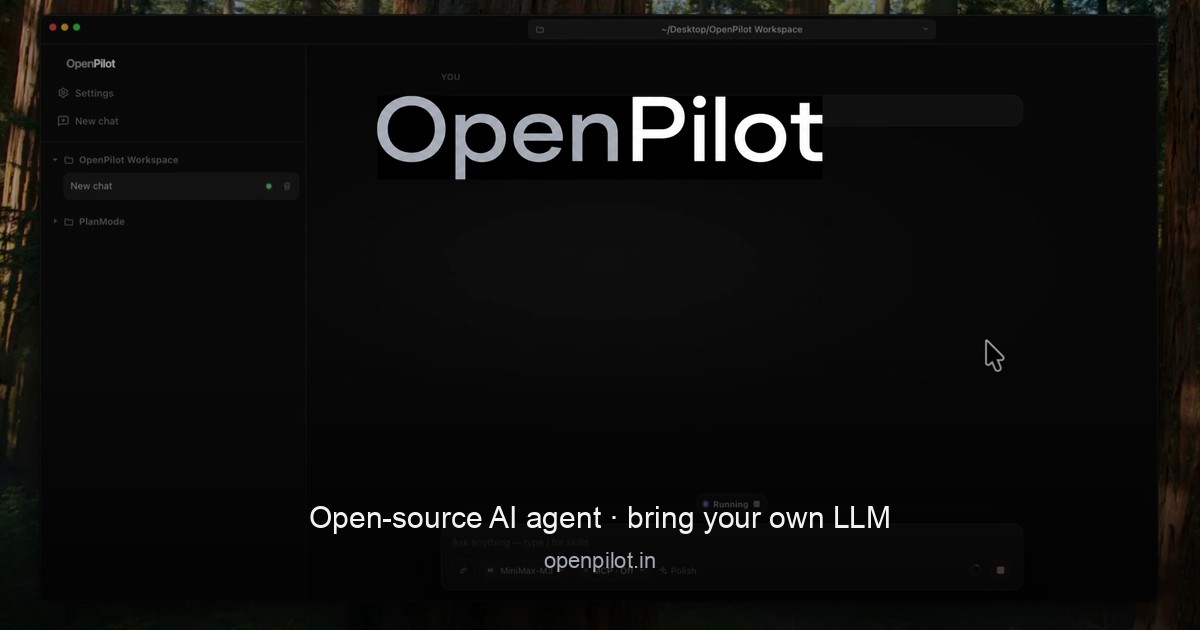
OpenPilot is an open-source desktop AI agent that runs locally and works with any large language model you choose. Instead of shipping a fixed, hosted model or forcing you through a vendor login, OpenPilot acts as a harness: you point it at any OpenAI-compatible API endpoint, add an API key, and the agent can then create files, scaffold projects, run real terminal commands, search the live web, and ship complete projects. It is built for people who want the agent itself—not the platform tax that usually comes with it—and who refuse to be locked into a single model provider. It is designed to be an agent that actually does the work, wiring filesystem tools, a live shell, web research, MCP, skills, and memory to the model you chose. The problem OpenPilot addresses is vendor lock-in. Most AI agents today tie you to one provider's account, one set of models, and one billing relationship, which means swapping models or moving to a local server requires rewriting your workflow. OpenPilot's answer is a harness, not a hosted model marketplace. There is no OpenPilot account and no vendor login required. You bring an OpenAI-compatible endpoint and API key—whether that is OpenAI, OpenRouter, a local server such as Ollama or LM Studio, or your own custom gateway—and your usage stays local to your keys. That makes the tool portable across the models you already pay for and keeps you in control of where your data and your spend go. The agent's filesystem tools are the foundation of its work. OpenPilot reads, writes, edits, greps, and globs across your workspace, so the agent can inspect a repository, understand its structure, and modify files in place. You can ask for a full project and watch the file tree fill in—for example package.json, src/index.ts, and src/routes/users.ts—and then refine the result with follow-up edits rather than starting over. Alongside file tools, the shell is a first-class capability. OpenPilot runs real terminal commands such as installing dependencies, starting servers, and running tests, streaming stdout back into the chat so you can see exactly what happened. This is not a pretend snippet; it is an actual shell connected to your machine, and you approve sensitive actions before they run. Because you explicitly open a workspace by pointing at a folder, the filesystem and shell access the agent receives is scoped to that workspace. When the answers you need live outside the repository, OpenPilot performs live web research. Using TinyFish, the agent searches and fetches pages in real time—for example looking up documentation, an API reference, or a specific error message—and then grounds its answer in what it actually read, returning a cited answer alongside the fix. The agent also supports skills and long-term memory. You can drop reusable playbooks into the workspace as skills, and persist preferences in a file such as AGENTS.md, including instructions like preferring TypeScript strict mode, using pnpm in a particular repository, or never committing .env files. OpenPilot loads these into context automatically and can update its memory when you ask, so preferences carry across sessions instead of being retyped every time you start working. For teams that need more than the built-in tools, OpenPilot connects to Model Context Protocol (MCP) servers, which can be flipped on per chat. MCP lets you extend the agent with the systems you already run—databases, browsers, or internal APIs—configured through an mcp.json file and enabled only when a conversation needs them. On the model side, configuration is deliberately simple: paste a base URL, an API key, and a model id, and you are connected. Each model can have its own custom base URL and key, so you can swap providers without rewriting your workflow. OpenPilot also shows session and lifetime token usage in-app, giving you visibility into consumption across the endpoints you use, both cloud APIs and local OpenAI-compatible servers. OpenPilot's overall approach is a three-step workflow. First, add a model by pasting your base URL, API key, and model id—no account with OpenPilot is required. Second, open a workspace by pointing the app at a folder; the agent then receives filesystem and shell access there. Third, describe the outcome you want: ask it to build, fix, research, or automate something, and then review the tool trail as it works. That tool trail is central to how OpenPilot operates. Rather than presenting an answer as a black box, the agent surfaces the sequence of tool calls it makes—file writes, edits, commands, searches—so you can follow along and intervene where needed. The benefits follow directly from that design. Because the agent runs locally as a desktop application and uses your own keys, there is no vendor login and no locked-in models; you keep usage local to your keys and stay portable across providers. Swapping models does not require rewriting your workflow, so the same working habits carry across a cloud API, a local server, or a custom gateway. Token tracking in-app makes spend visible at both the session and lifetime level. Skills and memory reduce repetition by carrying your preferences and playbooks into context automatically, and MCP support means the agent can reach the systems you already rely on. For developers who want an AI agent that works on real files and real terminals, OpenPilot delivers that capability without the platform tax. Concrete scenarios described in the content include scaffolding an entire project from a prompt and then iterating in place with follow-ups; installing dependencies, starting servers, and running a test suite such as npm test with the results streamed back into the chat; researching documentation, APIs, or errors that live outside the repo and receiving a cited answer plus a fix; and automating build, fix, or research tasks by simply describing the desired outcome. Users running local models through Ollama or LM Studio can keep everything on their own machine, while those using OpenAI, OpenRouter, or a custom gateway can move between cloud providers as needed. MCP connections extend these same workflows to databases, browsers, and internal APIs when extra tools are required. OpenPilot is aimed at developers and builders—people who want the agent rather than the platform tax and who refuse vendor lock-in. It ships as a local Electron desktop application under the MIT license, and pricing is free. Windows is available now with a 64-bit installer and a portable executable, requiring Windows 10 or later (x64); macOS builds for Apple silicon and Intel are releasing soon. The model layer is bring-your-own, using any OpenAI-compatible endpoint, including OpenAI, OpenRouter, local Ollama or LM Studio servers, or a custom base URL gateway. In short, OpenPilot is an open-source desktop AI agent that puts you in control of the model, the keys, and the machine. Own the harness, bring the model, and let the agent do the work—without vendor lock-in.
Refs is described as the video reference library for agents: a collection of 3,032 films that moved people, each measured cut by cut and turned into blueprints and prompt recipes an AI agent can build from. The site frames the product with a simple premise — Claude is only as good as the references you give it — and positions Refs as the way to hand Claude better refs. It is aimed at people who plan and produce launch films, motion pieces and explainers and who want their agent to work from real, published work rather than a loose collection of inspiration. The archive is free to browse, while the Pro plan opens up every plate of every blueprint, a runnable recipe for every film, formulas that compare films of one format, and the Refs MCP connection. The problem it addresses is reference quality. An agent can only plan what it has been shown, and the site notes that Refs is deliberately not a mood board: it publishes measured cuts, timed beats and a recipe for each film, so that Claude copies the method rather than the footage. The archive is built from films studied at Apple, Google, OpenAI, Anthropic, Framer, Notion, Cursor, ElevenLabs, Raycast, Arc, Vercel, Linear and Perplexity, among others, gathered into a single searchable place. By the numbers shown on the site, the library contains 3,032 films, 67,695 shots measured and 28 formulas. Refs does not host the videos: every film plays from its original post and stays its maker's, while Refs publishes its own measurements and analysis and credits and links every source. Every cut is measured. The site explains that shot boundaries are found frame by frame, and that clicking a shot jumps straight to it. Each film carries a cut map with figures such as cuts per minute and average shot length — the example shown on the homepage is 36 cuts per minute with an average shot of 1.5 seconds — so the pacing of a film becomes a number a planner or an agent can reason about rather than something you have to eyeball. Playback is built for scanning: walk the archive, scroll to move through it, hover a film to play it, move to scrub and click to open, with tap-to-play on a phone. Search runs across the whole archive, so a query pulls matching films out of the 3,032 on record. Each film is taken apart into a 15-plate blueprint covering hook, beats, shots, type, colour, sound and script. The plates are designed to be flipped through: Format states what the film is in one breath; Card gives length, pace, shots and sound at a glance; Hook breaks down the first two seconds frame by frame; and Make it yours carries the instruction to swap the story and keep the method. The public FAQ describes the blueprint as containing hook, beats, shots, type, colour, sound and script, plus a prompt recipe you can hand to Claude. Free users see the first plates of every blueprint; Pro opens all 15 plates of every blueprint. A runnable recipe sits at the end of each blueprint. The recipe is written to be pasted into Claude Code and made your own — the example on the site is a prompt recipe asking Remotion to create an original 15-second, 60 fps motion-design showreel for a product, with timed beats spelled out second by second, from a point growing into the mark inside faint circular guides to a full-screen shape wipe and a warm-ivory process chart. Alongside the per-film material, Refs publishes formulas: shared patterns across the strong films of one format, 28 of them in total, with counts of how many films sit behind each. Named examples include The Music-Led Motion Showreel, The Dark Staged Product Reveal, The Live-Drawn Paradox, The Fifteen-Second Service Rescue, The Sonified Chart Relay, The Capability Proof Montage and The Price of Regret. The core mechanism is the Refs MCP. One command adds Refs to Claude Code, Codex or Cursor — the site shows a claude mcp add command pointing at the Refs MCP endpoint with an authorization header carrying a Refs key — after which Claude can search the archive, pull blueprints and formulas, and plan your film from real references. The demo on the site shows the agent calling a Refs search tool with a query and returning matching entries, such as the Lumi founder launch and product walkthrough, the Warp 2.0 founder-led launch film and the Bolt v2 founder-led product launch. The result, as the site puts it, is the same Claude with better references: ask for a film and Claude studies films that already worked, then plans and builds yours. The Refs MCP is listed as part of the Pro plan with 1,500 credits a month. Because the references are measured rather than merely admired, the output an agent produces can follow an evidenced method: the hook, the beat timings, the shot lengths, the sound and the pacing of films that demonstrably moved people. Users get a way to brief an agent with cut maps, numbers and recipes instead of adjectives, and they keep the connection to the original work, since Refs links and credits every source and films play from their original posts. The library is also browsable on its own, so the same archive works as a study tool for a person and as a retrieval source for an agent. Use cases described on the site revolve around planning and producing video. A person planning a launch film can ask Claude for a film and have it study the films that already worked before it plans and builds theirs. Someone building a motion design piece can pull a recipe such as the Remotion prompt for an original 15-second, 60 fps showreel and adapt it to their product. Searches in the demo return matches under labels like founder launch, kinetic type, silent demo, three.js and terminal, with results such as a founder-led product launch or a product walkthrough, which suggests how a specific style or format can be retrieved and studied. Others can work from the formulas to understand what the strong films of one format share, or from the cut maps to match a pacing pattern. The archive itself can be walked as a study resource, with films such as A Miniature Garden Becomes Life-Size sitting alongside dozens of others drawn from YouTube and X posts. Refs is built for people who make and commission product and brand films — launch films, motion pieces and explainers — and for the developers and designers who drive AI coding agents such as Claude Code, Codex and Cursor. Browsing is free: every film playable from its source, cut maps, hover-scrub and the numbers, the first plates of every blueprint, and search across the whole archive. Pro costs $10 a month billed yearly or $16 monthly, and includes all 15 plates of every blueprint, a runnable recipe for every film, formulas across films of one format, and the Refs MCP for Claude Code, Codex and Cursor with 1,500 credits a month. A launch offer on the site notes that the code PRODUCTHUNT takes 50% off a year of Pro. Taken together, Refs is a reference library that treats video as data an agent can use: 3,032 films measured shot by shot, 67,695 shots and 28 formulas, packaged into 15-plate blueprints and recipes and delivered to Claude Code, Codex or Cursor through the Refs MCP. Its promise is narrow and specific — give Claude better references, so the film it plans copies the method of work that already moved people, never the footage.
Odyssey-3 is Odyssey's most powerful foundation world model yet, described as a learned dynamical system implemented as an autoregressive diffusion transformer that predicts how objects move and interact through space and how situations evolve over time. It generates embodied environments from a prompt and predicts in real time how those environments change as a person or an agent takes actions or introduces events, using previous observations together with the latest inputs. The model is built for physical AI developers — teams building robots, humanoids, self-driving cars, drones, and other autonomous systems — who want to explore how foundation world models can accelerate their work. A research preview is available now, letting users prompt an environment, act within it, and observe how the world model responds, while developers interested in building with Odyssey-3 can get in touch for API access. The starting point for Odyssey-3 is a problem the founding team lived with for a decade. They spent that decade building driverless cars, where predicting the world was essential to determining what a car should do next. They founded Odyssey to pursue that idea far beyond the roads — to build a general-purpose technology that could bring learned world knowledge to all machines and tasks. With Odyssey-3, they believe this idea is now being realized. Physical accuracy is central to that goal, because a foundation model for physical intelligence must learn to predict how the world actually behaves rather than simply producing plausible-looking video. Odyssey-3 learns representations of physics, dynamics, and cause-and-effect from a broad dataset of visual observations, and developers use that knowledge both to simulate environments and to train policies for different physical systems. The first capability is real-time environment generation. Odyssey-3 generates embodied environments from a prompt and predicts in real time how they change as a person or an agent takes actions or introduces events, using previous observations and the latest inputs. You can move through the environment or introduce an event during generation and observe how the model responds. Today's preview provides first-person and third-person navigation alongside independent camera movement, giving you different ways to interact with and inspect the model's predictions. Physical accuracy is measured against public benchmarks. Odyssey-3 Pro sets a new state of the art on Physics-IQ Verified's video-to-video benchmark, achieving 66.1, the highest reported score. Physics-IQ tests physical behavior across fluid dynamics, optics, solid mechanics, magnetism, and thermodynamics, asking models to continue videos of real physical experiments and comparing their predictions with what actually happened. Odyssey-3 Pro also scores 54.7 in image-to-video, while Odyssey-3 improves the measured tradeoff between physical accuracy and generation cost, making it possible to generate more simulations within the same compute budget. On WorldMark, which measures control-following, visual quality, and world memory, Odyssey-3 ranks first in first-person stylized, third-person real, and third-person stylized environments, using the benchmark's own captions and the mean of its 13 reported metric scores. Odyssey-3 adapts to physical systems. Its learned world knowledge can be applied to different systems by training an action decoder or policy on paired observations and actions. These learned components translate that knowledge into the controls required by a particular machine, letting developers adapt the foundation to a new body or task. With only tens of hours of robot demonstrations, Odyssey-3 completed manipulation tasks and showed recovery behaviors absent from those demonstrations, including reorienting a gripper after a missed grasp and retrieving a dropped object in an unusual position. Flexion has built humanoid control policies on Odyssey-3 whose performance exceeded the tested VLA baselines under environmental changes and continued to perform tasks under lighting changes that caused those baselines to fail. Odyssey-3 was also adapted to drive a car on real roads in India, training a driving policy on just 20 hours of driving data while keeping the Odyssey-3 backbone frozen; the policy uses the model's visual representations to predict waypoints ahead of the car, allowing it to drive in closed loop. The model can additionally be adapted to generate observations for particular sensor arrangements — in an early experiment using the front three cameras of an autonomous-driving dataset, an Odyssey-3 training checkpoint produced driving sequences with three camera views generated together after just 100 training steps. Odyssey-3 can also help train agents. An agent is an AI system that pursues a goal by observing its surroundings, choosing actions, and using what happens to decide what to do next. A world model can provide the environment in which those decisions are made, giving a way to study how an agent responds to changing conditions and whether it can complete a task inside a world whose behavior is learned. In the task-completion demonstration, an agent receives a natural-language goal and pursues it inside Odyssey-3, observing the generated world as it works toward the task. How Odyssey-3 was built is described in the launch material. Its training data combines internet video with time-localized, schema-verified event annotations, gameplay recordings with time-aligned keyboard and mouse inputs, and simulated rigid-body interactions with captions and metadata. Together, these sources connect diverse observations with descriptions of what happens and, where available, the actions that produced it. The stated design goal was to enable dynamic, open-ended interactions with an environment that responds as the user acts. Odyssey-3 is built as a multi-step video diffusion transformer, using temporally resolved prompts and controls to guide how the world unfolds. It is then extended autoregressively through teacher forcing and causal masking, training it to continue from preceding observations and predict future states conditioned on action inputs. Finally, a post-training pipeline that combines distribution-matching and adversarial distillation produces a distilled variant of Odyssey-3 — a few-step model capable of real-time interaction. The measured results point to concrete benefits for users. Because physical accuracy and generation cost are traded off more efficiently, developers can generate more simulations within the same compute budget. Because the model can be adapted with small amounts of data — tens of hours of robot demonstrations, or 20 hours of driving data with a frozen backbone — developers can bring learned world knowledge to a new machine or task without training a world model from scratch. Because the distilled variant is a few-step model capable of real-time interaction, environments respond as the user acts rather than only after generation is complete. And because the model can provide the environment in which agents pursue natural-language goals, it offers a way to study agent behavior in worlds whose behavior is learned. Odyssey-3 appears in several concrete scenarios in the launch material. For robot arms, prompts such as "Pour the cereal into the bowl" and "Close the screwbox" were used with the model to perform manipulation. For humanoids, Flexion built control policies on Odyssey-3 and ran tasks such as "Open the blue container and take out the cardboard box" and "Move the plate to the center of the table and place the mug on top of it." For vehicles, prompts like "Take the first roundabout exit" and "Drive along the road" were used while the adapted policy drove autonomously on real roads in India. For multi-sensor data, Odyssey-3 generated driving sequences with three camera views produced together for an autonomous-driving dataset. For agents, an agent receives a natural-language goal and pursues it inside the generated world. And in the research preview, a user prompts an environment, navigates it in first or third person, and introduces events to see how the model responds. Odyssey-3 is aimed at physical AI developers — teams developing a robot, humanoid, self-driving car, drone, or any other autonomous system — as well as researchers studying world models and anyone who wants to try the research preview. Developers who want to build with Odyssey-3 are invited to get in touch for API access. The research preview, offered as "Try Odyssey-3 Flash," is available now through experience.odyssey.systems. Published evaluation details describe two model sizes: Odyssey-3 at 832×480 and Odyssey-3 Pro at 1280×720. The launch material presents Odyssey-3 as available today as a research preview, with API access offered on request; no pricing or plan details are published in the provided content. Taken together, Odyssey-3's primary value proposition is that it brings learned world knowledge to physical AI: a foundation world model that generates interactive environments from a prompt, predicts in real time how they evolve as someone acts, advances the reported state of the art in physical accuracy on Physics-IQ Verified, and can be adapted to control robot arms, humanoids, and vehicles or to serve as the environment in which agents learn and are evaluated.